Phishing has evolved from clumsy “verify your account” emails into polished scams that mimic real login pages, invoices and delivery updates. For website owners, a single slip can hand attackers access to admin panels, hosting and customer data — opening the door to malware infections, account takeovers and even ransomware. Here’s the calm, practical way to lower your risk and respond fast.
What’s going on
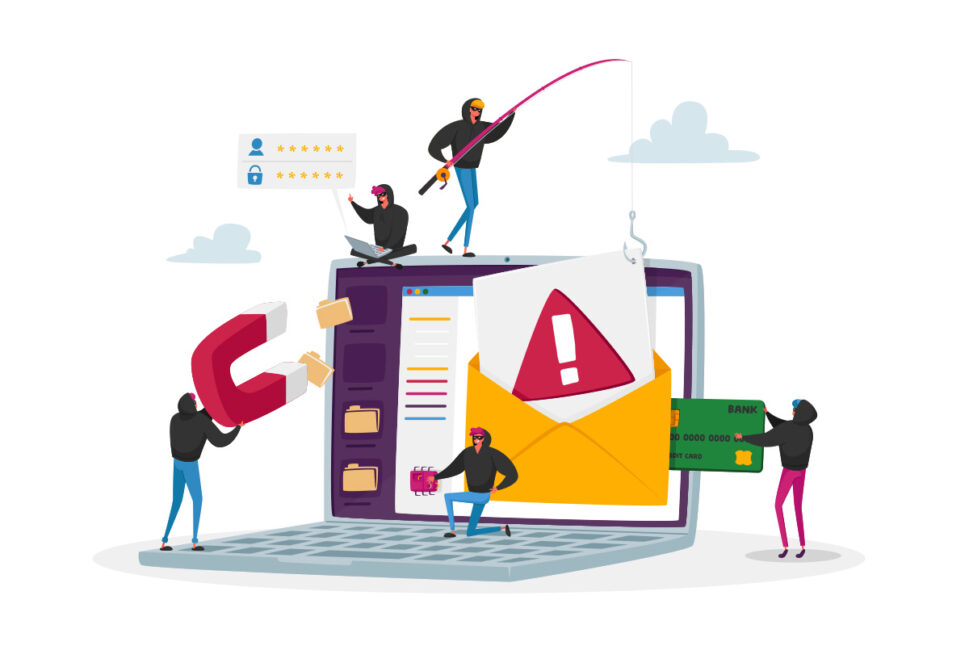
Phishing is a social-engineering attack. Criminals craft believable messages (email, text or phone) that create urgency and push you to do one risky thing — usually click a link to a fake login page, open a malicious attachment, or share sensitive details. Once they have access, they can pivot quickly into malware, data theft and further compromise of your website and business systems.
How a phishing attack unfolds (in plain English)
- A plausible story: “Payment failed”, “Suspicious login”, “Package waiting”, or “Review this document”.
- Pressure to act: Language like “final notice” or “within 24 hours” reduces careful thinking.
- One risky action: Click a link, open a file, call a number, or enter credentials on a cloned login page.
- Attacker gains value: Stolen passwords/MFA codes, payment data or a malware foothold for further attacks.
Common phishing types to watch
- Email phishing: High-volume, brand impersonation with links to fake sign-in pages.
- Spear phishing: Highly targeted messages tailored to your role, tools and suppliers.
- Whaling: Executive-level spear phishing aimed at finance or leadership.
- URL phishing: Lookalike domains and misleading subdomains hosting perfect replicas of real logins.
- Smishing & vishing: SMS and phone calls posing as banks, delivery firms or support.
- Pharming: Behind-the-scenes redirects (e.g., DNS tampering) that send you to fake sites even when the URL seems right.
Why this is especially risky for WordPress sites
- Admin access is gold: With a stolen WordPress or hosting login, attackers can add backdoors, inject scripts, steal data and lock you out.
- Your site can be weaponised: Compromised sites are often used to host phishing pages or redirect visitors — damaging trust, SEO and conversions.
- Business email compromise: Hijacked inboxes enable fake invoices, payment redirection and fraud against your customers.
Warning signs
- Unexpected “verify”, “failed payment” or “document” requests with urgent deadlines.
- Sender name looks familiar, but the email address or domain is slightly off.
- Links that don’t match the displayed text when you hover.
- Unusual login alerts, new devices or forwarding rules you didn’t set.
- New WordPress admin users, unexplained file changes or suspicious redirects on your site.
“I clicked it.” What to do now
- Report it: Mark as phishing in your email client; alert your IT/host if applicable.
- Change passwords — start with email: Then update hosting, WordPress and any reused credentials. Enable 2FA everywhere.
- Scan and update devices: Run endpoint scans; patch your OS and browser.
- Check accounts and your website: Review login activity, admin users, file changes and unknown forwarding rules.
- If financial details were shared: Contact your bank/card issuer immediately.
Prevention that fits real life
- Better click habits: Ask: Was I expecting this? Is the sender exact? Does the hovered URL match? Am I being rushed? When unsure, go directly to the site via a bookmark.
- Strong authentication: Unique passwords via a manager, plus 2FA for email, hosting, WordPress and payment services.
- Keep software updated: Regular website maintenance — WordPress core, plugins, themes, browsers and devices.
- Layered website protection: Put a web application firewall (WAF) in front of WordPress, enable security monitoring, maintain off-site backups, and schedule routine scans for malware protection and swift malware removal if needed.
How matm can help
- Managed WordPress, plugin & theme updates
- Security monitoring and WAF setup
- Regular backups & fast site recovery
- Malware removal and emergency response
Want clear, jargon-free help to reduce phishing risk and strengthen your WordPress security? Email [email protected] or call 01952 883 526.
Based on research by Sucuri — read the original analysis.