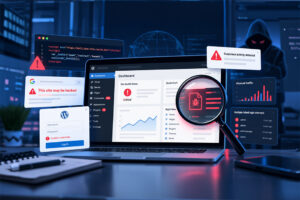
Data breach notifications are becoming increasingly common. They often arrive with a familiar message about protecting your privacy, followed by an offer of credit monitoring.
For business owners, the most important detail is usually further down the page: what information was actually exposed.
An email address being leaked is very different from an admin password, session token, backup code, or recovery email being compromised. There is no single response that fits every breach. The right action depends on what data has been exposed and whether any of it could be used to access your website.
If you run a WordPress website, ecommerce store, membership platform, or any site linked to customer trust and revenue, a third-party breach should be treated as a website security prompt, not just a personal privacy issue.
First, check the breach notice is genuine
Large data breaches often lead to phishing emails. Criminals know people are worried and may send fake messages that look like official breach notifications. These emails may ask you to “verify your account”, “secure your details”, or “claim protection” through a malicious link.
Before clicking anything, take a cautious approach:
- Do not use links or phone numbers in the email. Go directly to the company’s official website or use contact details you already trust.
- Read the notice carefully. Look for exactly what was exposed, such as email addresses, passwords, payment information, security questions, or session data.
- Keep a copy of the notice. Save dates, reference numbers, case IDs, and any follow-up messages.
- Check whether your email appears in known breach databases. Services such as Have I Been Pwned can provide useful supporting information.
Early breach notices can be incomplete. Investigations often develop over time, so it is worth checking back for updates if the organisation publishes further details.
Work out where the exposed details could be reused
The main risk for website owners is credential reuse. This means the same password, or a very similar one, has been used across more than one account.
If a password from one breached service is also used for your WordPress admin, hosting account, email account, domain registrar, or payment dashboard, attackers may be able to use it to gain access elsewhere.
This is known as credential stuffing: automated tools try leaked email and password combinations across common login pages. WordPress login pages such as /wp-admin and /wp-login.php are frequent targets because they are predictable and widely used.
Review any account connected to your website, including:
- WordPress admin users and other CMS logins
- Hosting control panels
- Domain registrar accounts
- DNS and CDN services
- Email accounts used for password resets
- Payment processor dashboards
- Plugin, theme, and third-party service accounts
- FTP, sFTP, SSH, and deployment access
- Code repositories such as GitHub
- Database administration tools
These accounts should be treated as high priority because they can directly affect your website’s availability, reputation, SEO, customer data, and revenue.
If a password has been exposed
If the breach involved a password, change it immediately on the affected service and anywhere else the same or a similar password was used.
Small variations are not enough. For example, changing Summer2024! to Summer2024!! does not provide meaningful protection against an attacker who already has the original password.
Use a password manager so every account has a unique, strong password. This makes future breaches much less likely to spread from one service to another.
Even if the breach notice says passwords were “hashed”, you should still change them. Hashing is a way of storing passwords in a scrambled form, but weak hashing or poor password choices can still allow attackers to recover usable passwords.
Turn on multi-factor authentication
Multi-factor authentication, often shortened to MFA or 2FA, adds an extra step when logging in. Instead of relying only on a password, you also need a second proof that it is really you.
For website admin accounts and other important services, stronger methods are best:
- Best: Passkeys or hardware security keys, which are designed to resist phishing.
- Good: Authenticator apps that generate time-based codes.
- Last resort: SMS text messages. These are better than no MFA, but they are more vulnerable to SIM-swap and phishing attacks.
Prioritise MFA for your WordPress admin, hosting account, domain registrar, recovery email, payment systems, and any account that can change website files or user access.
Protect the recovery email first
Your email account is often the master key to everything else. If someone can access the inbox used to reset your hosting, WordPress, or domain passwords, they may be able to take control even if those other accounts have strong passwords.
If your recovery email was involved in the breach, or reused the same password, deal with it first:
- Change the email password to a unique, strong password
- Sign out of all active sessions
- Check for unknown forwarding rules or mailbox filters
- Review recovery phone numbers and backup email addresses
- Enable strong MFA, ideally using a passkey, security key, or authenticator app
Watch for stolen sessions and backup codes
Some breaches expose more than passwords. If session tokens, MFA backup codes, or authenticator setup details are leaked, the risk is higher.
A session token is what keeps someone logged in after they have entered their password. If an attacker steals it, they may be able to bypass both the password and MFA.
Where possible, use “sign out of all sessions” or “log out everywhere” options. Then regenerate backup codes and re-enrol MFA if you think setup details may have been exposed.
Website clean-up checklist
If a breached password was used on or near your website, assume it may already have been tried. You may not see obvious symptoms straight away, but compromised admin accounts can be used to upload malicious plugins, create hidden users, add backdoors, or inject malware into website files.
Work through this checklist calmly and methodically:
- Change all related passwords. Start with hosting, WordPress, domain registrar, email, database, FTP, sFTP, SSH, and payment accounts.
- Rotate API keys and deployment secrets. This includes access tokens used by plugins, integrations, development tools, or automated deployments.
- Invalidate active sessions. In WordPress, regenerate authentication keys and salts in
wp-config.php. This forces logged-in users to sign in again. - Audit admin and editor users. Remove unfamiliar accounts and reduce permissions where full admin access is not needed.
- Review FTP and sFTP access. Delete accounts that are no longer required or cannot be linked to a real person or service.
- Enable 2FA on admin dashboards. Apply this to WordPress, hosting, email, payment systems, and domain management.
- Check access logs. Look for unusual logins, plugin uploads, file edits, new users, and unexpected admin activity.
- Run a malware scan and file integrity check. This helps identify changed files, backdoors, or active malware.
- Put a WAF in place. A web application firewall can help block suspicious requests and reduce exposure to automated attacks.
If anything looks unfamiliar, do not ignore it. Early action can reduce downtime, protect customer trust, and prevent malware from damaging your SEO or brand reputation.
If personal information was also leaked
Some breaches expose personal information as well as website-related credentials. While this is separate from website maintenance, it can still affect your business if attackers use it to take over accounts or trick your team.
Consider the following actions depending on what was exposed:
- Phone number: Speak to your mobile provider about account protection and be alert to SIM-swap attempts.
- Payment card details: Contact your card provider using the number on the back of your card and ask whether the card should be replaced.
- Bank details: Contact your bank’s fraud team quickly and monitor transactions closely.
- Personal identifiers: Follow official guidance for identity protection in your country and watch for suspicious account activity.
For UK businesses, it is also sensible to review your data protection responsibilities if customer or staff information may be involved. Where necessary, speak to your legal, compliance, or data protection adviser.
Make the next breach less disruptive
Data breaches are not always within your control. Your response plan is.
The aim is to make sure a breach at one supplier, platform, or service does not become a website emergency. Good habits make a big difference:
- Use unique passwords for every account
- Store passwords in a reputable password manager
- Enable MFA on all important dashboards
- Keep WordPress core, plugins, and themes updated
- Remove unused plugins, themes, and user accounts
- Use security monitoring and file integrity checks
- Keep regular backups and test recovery processes
- Protect admin areas with a web application firewall
For business owners, this is not just an IT task. Strong WordPress security helps protect search rankings, customer confidence, conversions, compliance, and revenue.
Frequently asked questions
Can a breach at another company really affect my website?
Yes. If the same password was used elsewhere, attackers may try it against your WordPress admin, hosting account, email, domain registrar, or payment systems. This is especially risky when the exposed account uses the same email address as your website admin or recovery email.
How do I know if my WordPress site has been compromised?
Look for unfamiliar admin users, unexpected plugins, changed files, unusual login activity, or redirects you did not create. A malware scan and file integrity check can help identify suspicious changes, but more advanced backdoors may need professional malware removal support.
Should I change my WordPress password if a different website was breached?
Yes, if you used the same or a similar password on your WordPress account, hosting account, recovery email, or any related service. You should also invalidate active sessions and check for unknown users or file changes.
Is SMS two-factor authentication enough?
SMS is better than having no second step, but it is not the strongest option. For important website admin accounts, use a passkey, hardware security key, or authenticator app where possible.
How matm can help
At matm, we help businesses keep their WordPress websites secure, maintained, and ready to recover if something goes wrong.
- Managed WordPress, plugin and theme updates
- Security monitoring and WAF setup
- Regular backups and fast site recovery
- Malware removal and emergency response
If you are concerned about a data breach, suspicious login activity, or possible website malware, contact matm on [email protected] or call 01952 883 526.
Based on research by Sucuri.