
A single outdated WordPress plugin can create an opening for attackers, potentially leading to website downtime, stolen data, unwanted redirects or malware.
Many attacks are automated. Criminals scan large numbers of websites looking for known vulnerabilities, which means even a small business website can be targeted without being singled out.
June 2026 brought security updates for a wide range of popular WordPress plugins, including Elementor, WPForms, Rank Math SEO, UpdraftPlus, The Events Calendar and several WooCommerce tools.
Here are the main issues website owners need to know about and the practical steps you can take to protect your business.
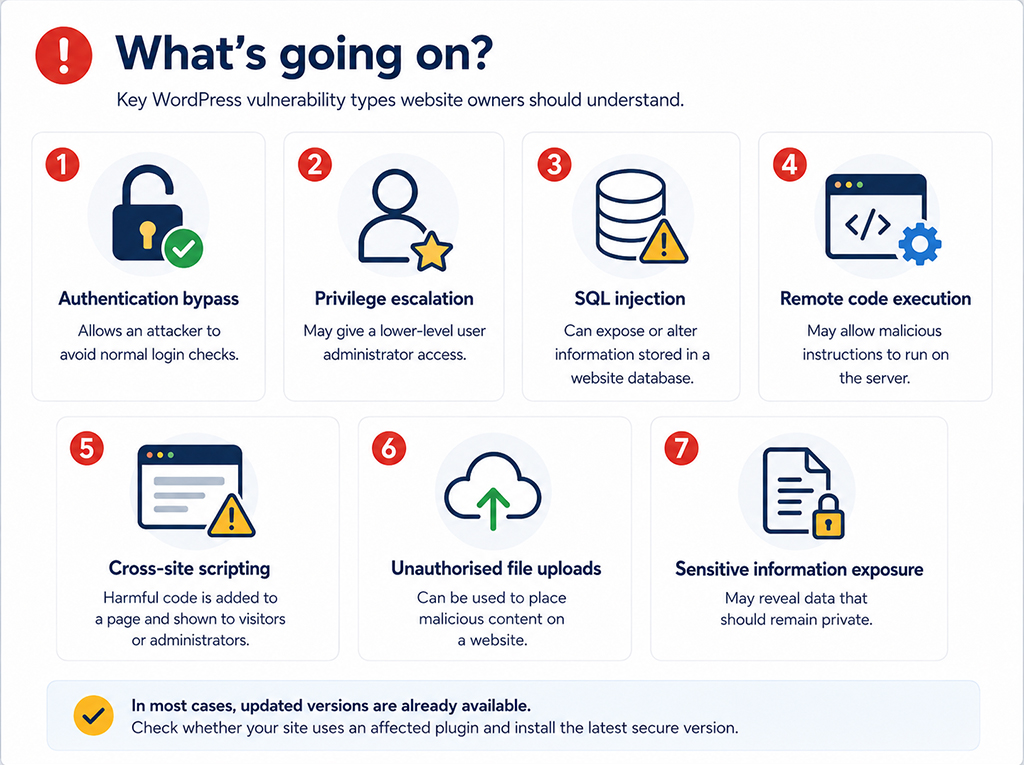
What’s going on?
Security researchers identified vulnerabilities affecting plugins used on millions of WordPress websites. Some were relatively limited, while others could allow an attacker to access private information, change website content, upload files or gain greater control of a site.
The most serious issues included:
- Authentication bypass, allowing an attacker to avoid normal login checks.
- Privilege escalation, which may give a lower-level user administrator access.
- SQL injection, which can expose or alter information stored in a website database.
- Remote code execution, which may allow malicious instructions to run on the server.
- Cross-site scripting, where harmful code is added to a page and shown to visitors or administrators.
- Unauthorised file uploads, which can be used to place malicious content on a website.
- Sensitive information exposure, potentially revealing data that should remain private.
In most cases, updated versions have already been released. The immediate action is therefore straightforward: identify whether your website uses an affected plugin and install the latest secure version.
Critical vulnerabilities to prioritise
UpdraftPlus
A critical authentication bypass affected UpdraftPlus versions up to and including 1.26.4. The issue involved its UpdraftCentral connection and could potentially allow an unauthenticated attacker to bypass normal access controls.
- Affected versions: 1.26.4 and earlier
- Secure version: 1.26.5 or later
- CVE: CVE-2026-10795
The Events Calendar
The Events Calendar contained a critical SQL injection vulnerability. In simple terms, this type of flaw can allow an attacker to interfere with requests sent to the website database.
- Affected versions: 6.15.12 to 6.16.2
- Secure version: 6.16.3 or later
- CVE: CVE-2026-49772
Kirki
Kirki versions 6.0.0 to 6.0.6 were affected by a critical privilege escalation vulnerability linked to its password reset process. A successful attack could potentially give an unauthorised person greater control over a WordPress website.
- Affected versions: 6.0.0 to 6.0.6
- Secure version: 6.0.7 or later
- CVE: CVE-2026-8206
High-risk plugin updates
Several widely used plugins also received patches for high-risk vulnerabilities. These updates should be treated as a priority, particularly when an issue can be exploited without logging in.
- Essential Addons for Elementor:
Update to 6.6.5 or later to address unauthorised information exposure. - All-In-One Security:
Update to 5.4.8 or later to fix an unauthenticated stored cross-site scripting issue. - Forminator Forms:
Update to 1.53.2 or later to resolve unauthenticated stored cross-site scripting. - WP Statistics:
Update to 14.16.7 or later to fix unauthenticated stored cross-site scripting. - WP Activity Log:
Update to 5.6.4 or later to address PHP object injection and stored cross-site scripting vulnerabilities. - Ultimate Member:
Update to 2.12.0 or later to reduce the risk of account takeover through password reset link exposure. - Advanced Google reCAPTCHA:
Update to 5.39 or later to fix authentication bypass and unauthorised file upload vulnerabilities. - CleanTalk Anti-Spam:
Update to 6.79 or later to address unauthenticated stored cross-site scripting.
- MW WP Form:
Update to 5.1.4 or later to resolve stored cross-site scripting issues.
- Admin Columns:
Update to 7.0.19 or later to address a vulnerability that could lead to remote code execution. - Responsive Lightbox & Gallery:
Update to 2.7.7 or later to fix unauthenticated stored cross-site scripting. - Pods:
Update to 3.3.9 or later to resolve unauthenticated stored cross-site scripting. - Email Address Encoder:
Update to 1.0.25 or later to address unauthenticated stored cross-site scripting. - Advanced Order Export for WooCommerce:
Update to 4.0.10 or later to fix stored cross-site scripting affecting customer accounts. - Schema & Structured Data for WP & AMP:
Update to 1.60 or later to prevent unauthorised media uploads. - EmbedPress:
Update to the latest available version to address information exposure and stored cross-site scripting issues.
Other popular plugins requiring updates
The roundup also included medium- and lower-risk vulnerabilities in a number of well-known plugins. Lower severity does not mean an update can be ignored. Some issues require an existing user account or administrator action, but they can still become serious when combined with another weakness.
- Elementor Website Builder:
Update to 4.1.1 or later. - WPForms:
Update to 1.10.0.5 or later. - Rank Math SEO:
Update to 1.0.271.1 or later. - Really Simple Security:
Update to at least 9.5.10.1. - WPvivid:
Update to 0.9.129 or later. - Smart Slider 3:
Update to 3.5.1.37 or later. - WooCommerce Stripe Payment Gateway:
Update to 10.8.0 or later. - Click to Chat:
Update to 4.40 or later. - MainWP Child:
Update to 6.1.2 or later. - Royal Addons for Elementor:
Update to 1.7.1060 or later. - Enable Media Replace:
Update to 4.1.9 or later. - TablePress:
Update to 3.3.2 or later. - Kadence Blocks:
Update to 3.7.6 or later. - Page Builder by SiteOrigin:
Update to 2.34.4 or later. - Pagelayer:
Update to 2.1.0 or later. - Ad Inserter:
Update to 2.8.16 or later.
- WP Go Maps:
Update to the latest available version. - Blocksy Companion:
Update to 2.1.46 or later. - Post Duplicator:
Update to 3.0.15 or later. - Gutenberg Essential Blocks:
Update to 6.2.0 or later. - Photo Gallery by 10Web:
Update to 1.8.42 or later. - Optimole:
Update to 4.2.7 or later. - WP Migrate Lite:
Update to 2.7.9 or later. - Widget Options:
Update to 4.2.4 or later. - LatePoint:
Update to 5.5.2 or later. - Advanced Ads:
Update to 2.0.22 or later. - Permalink Manager Lite:
Update to 2.5.3.4 or later. - FooGallery:
Update to 3.1.32 or later. - Presto Player:
Update to 4.2.1 or later. - Envira Gallery:
Update to 1.12.6 or later. - WP All Import:
Update to 4.1.0 or later. - Tutor LMS:
Update to 3.9.12 or later.
Why these vulnerabilities matter to businesses
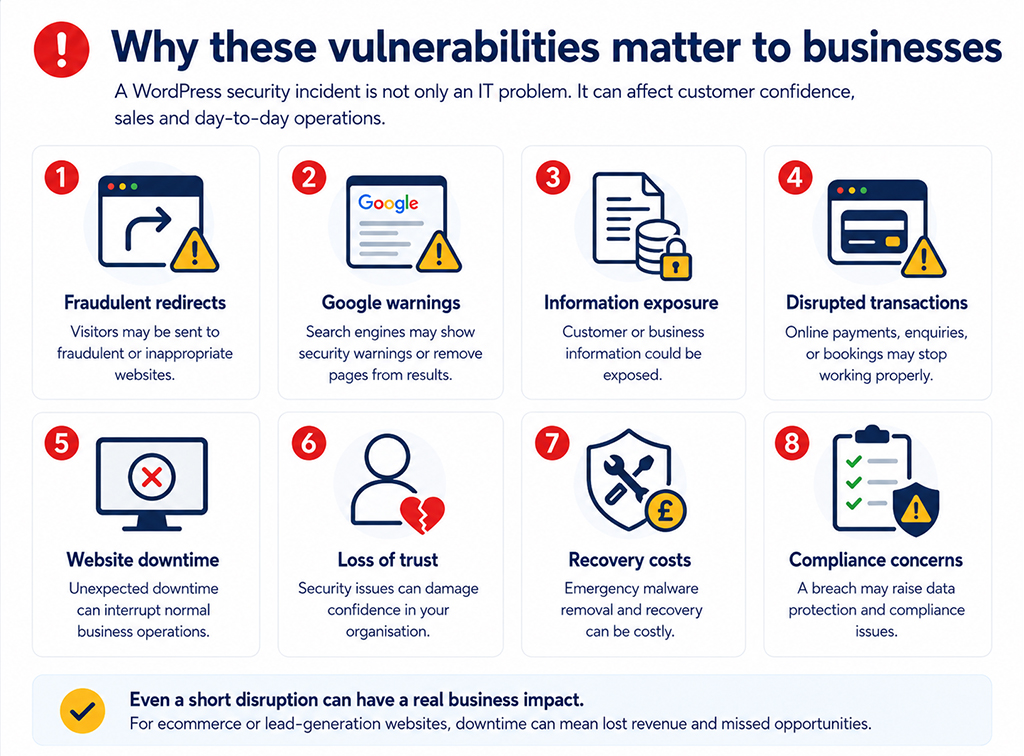
A WordPress security incident is not only an IT problem. It can affect customer confidence, sales and day-to-day operations.
A compromised website may lead to:
- Visitors being redirected to fraudulent or inappropriate websites.
- Google displaying security warnings or removing pages from search results.
- Customer or business information being exposed.
- Online payments, enquiries or bookings being disrupted.
- Unexpected website downtime.
- Loss of trust in your organisation.
- Emergency malware removal and recovery costs.
- Potential data protection and compliance concerns.
For an ecommerce or lead-generation website, even a short disruption can result in lost revenue and missed opportunities.
What should website owners do now?
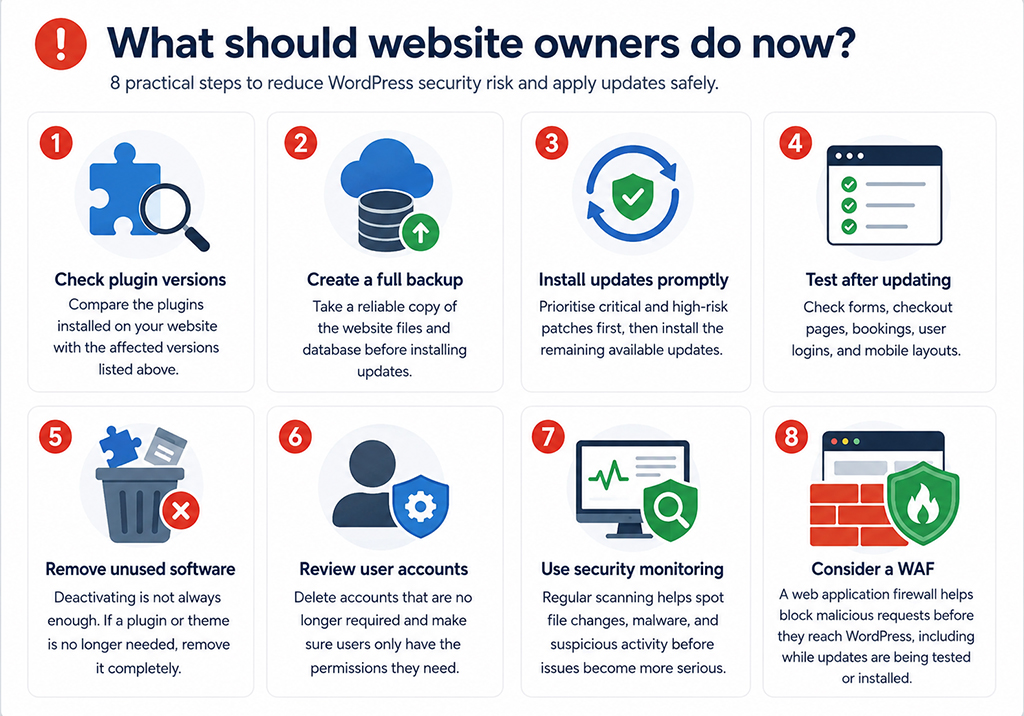
- Check your plugin versions. Compare the plugins installed on your website with the affected versions listed above.
- Create a full backup. Take a reliable copy of the website files and database before installing updates.
- Install security updates promptly. Prioritise critical and high-risk patches, followed by the remaining available updates.
- Test the website after updating. Check important functions such as forms, checkout pages, bookings, user logins and mobile layouts.
- Remove unused plugins and themes. Deactivating software is not always enough. If it is no longer needed, remove it completely.
- Review WordPress user accounts. Delete accounts that are no longer required and make sure users only have the permissions they need.
- Use security monitoring. Regular scanning can identify unexpected file changes, malware and suspicious activity before the problem becomes more serious.
- Consider a web application firewall. A WAF sits between visitors and your website, helping to block malicious requests before they reach WordPress. This can provide valuable protection while an update is being tested or installed.
Do automatic updates solve the problem?
Automatic updates can reduce the time a known vulnerability remains exposed, but they still need to be managed carefully.
An update can occasionally affect compatibility between WordPress, a theme and another plugin. A good website maintenance process therefore includes backups, managed updates, testing and a recovery plan rather than simply switching on every automatic update and hoping for the best.
How matm can help?
Keeping a business website secure requires consistent maintenance rather than a one-off fix. matm can support your organisation with:
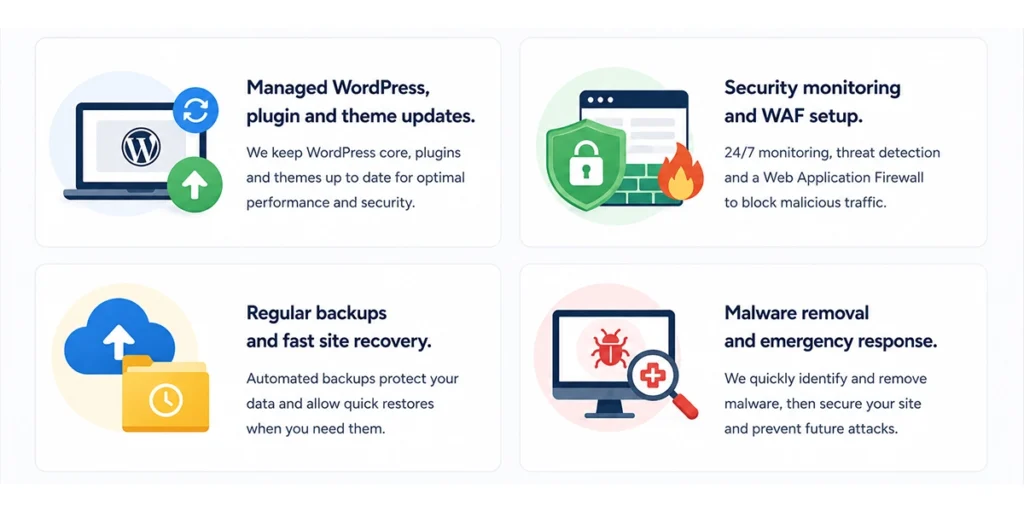
- Managed WordPress, plugin and theme updates.
- Security monitoring and WAF setup.
- Regular backups and fast site recovery.
- Malware removal and emergency response.
For help with WordPress security, website maintenance or malware protection, contact matm at [email protected] or call 01952 883 526.
Based on research by Sucuri.