A critical security vulnerability known as wp2shell has been identified in WordPress core.
Unlike many WordPress security issues, this vulnerability is not caused by a plugin or theme. It affects WordPress itself and could allow an attacker to compromise a vulnerable website without logging in or requiring any action from a user.
WordPress has released security updates, and Cloudflare has introduced new Web Application Firewall (WAF) rules to help block related attacks. However, firewall protection is not a replacement for updating WordPress.
Website owners should check their WordPress version and install the appropriate security release immediately.
What is the wp2shell vulnerability?
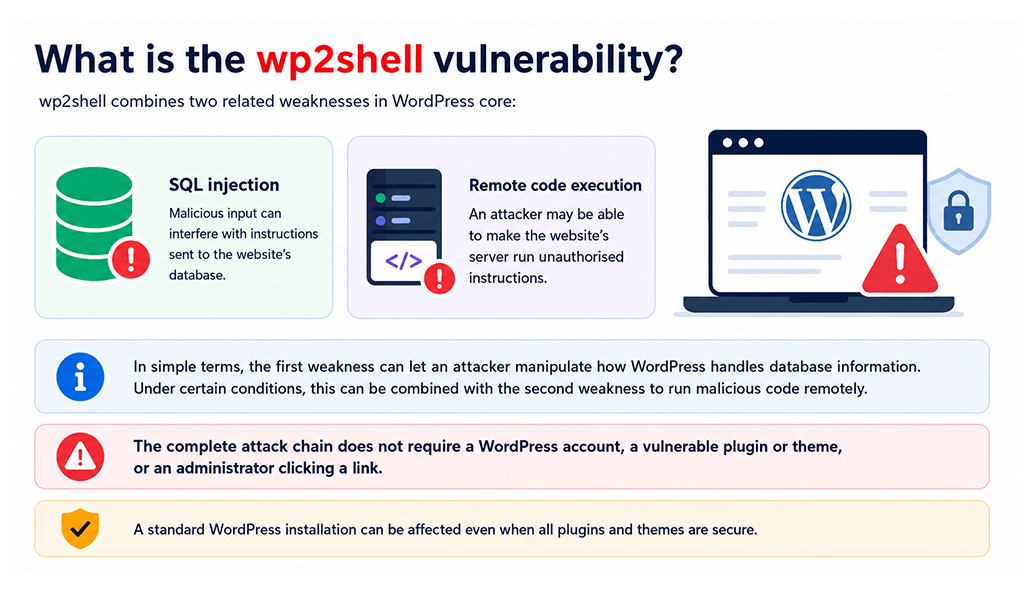
wp2shell combines two related weaknesses in WordPress core:
- SQL injection: malicious input can interfere with instructions sent to the website’s database.
- Remote code execution: an attacker may be able to make the website’s server run unauthorised instructions.
In simple terms, the first weakness can give an attacker a way to manipulate how WordPress handles database information. Under certain conditions, this can be combined with the second weakness to run malicious code remotely.
This is particularly serious because the complete attack chain does not require the attacker to have a WordPress account or persuade an administrator to click a link.
The vulnerability can affect a standard WordPress installation, even when all plugins and themes are secure.
Technical details
The vulnerabilities affect different parts of the WordPress request process.
CVE-2026-60137: SQL injection
This high-severity vulnerability affects WordPress 6.8 and later. It allows specially crafted input to alter a database query before WordPress processes it.
SQL injection is a type of attack in which data supplied to a website is treated as part of a database command. Depending on the vulnerability, this may allow an attacker to read, alter or misuse information held by the website.
CVE-2026-63030: unauthenticated remote code execution
This critical vulnerability affects WordPress 6.9 and later. It targets the batch endpoint within the WordPress REST API and may allow an unauthenticated attacker to execute code when a persistent object cache is not in use.
The REST API allows WordPress and connected applications to exchange information. The batch endpoint can process several API requests together. In this case, specially constructed requests could use the SQL injection weakness as part of a wider remote code execution attack.
No login or user interaction is required to exploit the vulnerability on an affected and vulnerable configuration.
Which WordPress versions are affected?
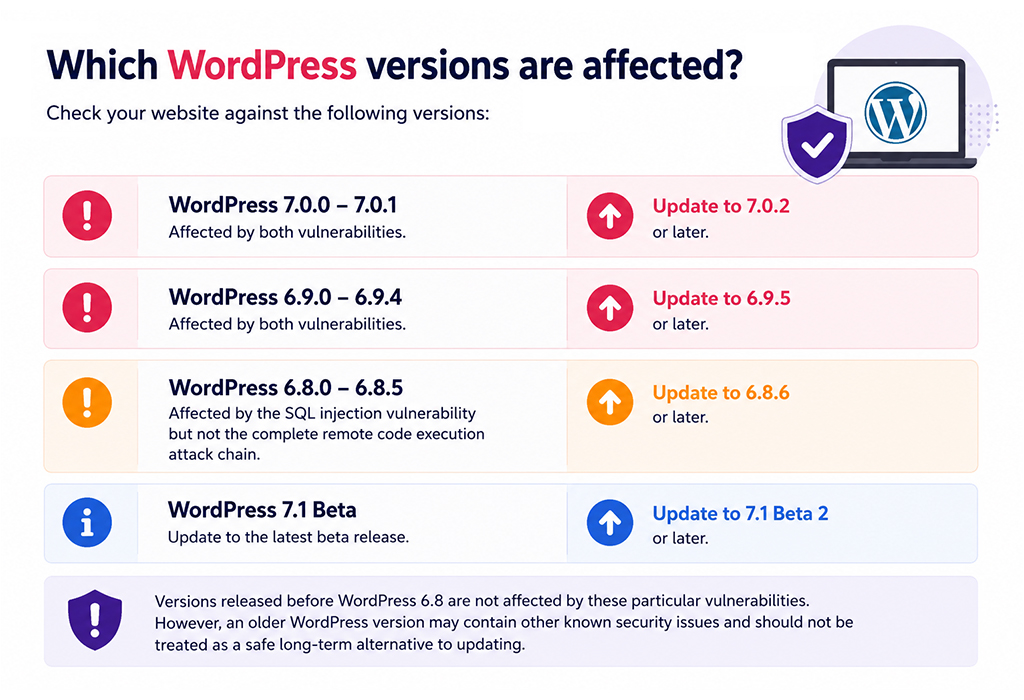
Check your website against the following versions:
- WordPress 7.0.0–7.0.1: affected by both vulnerabilities. Update to WordPress 7.0.2 or later.
- WordPress 6.9.0–6.9.4: affected by both vulnerabilities. Update to WordPress 6.9.5 or later.
- WordPress 6.8.0–6.8.5: affected by the SQL injection vulnerability but not the complete remote code execution attack chain. Update to WordPress 6.8.6 or later.
- WordPress 7.1 Beta: update to WordPress 7.1 Beta 2 or a later release.
Versions released before WordPress 6.8 are not affected by these particular vulnerabilities. However, an older WordPress version may contain other known security issues and should not be treated as a safe long-term alternative to updating.
Why this matters to businesses
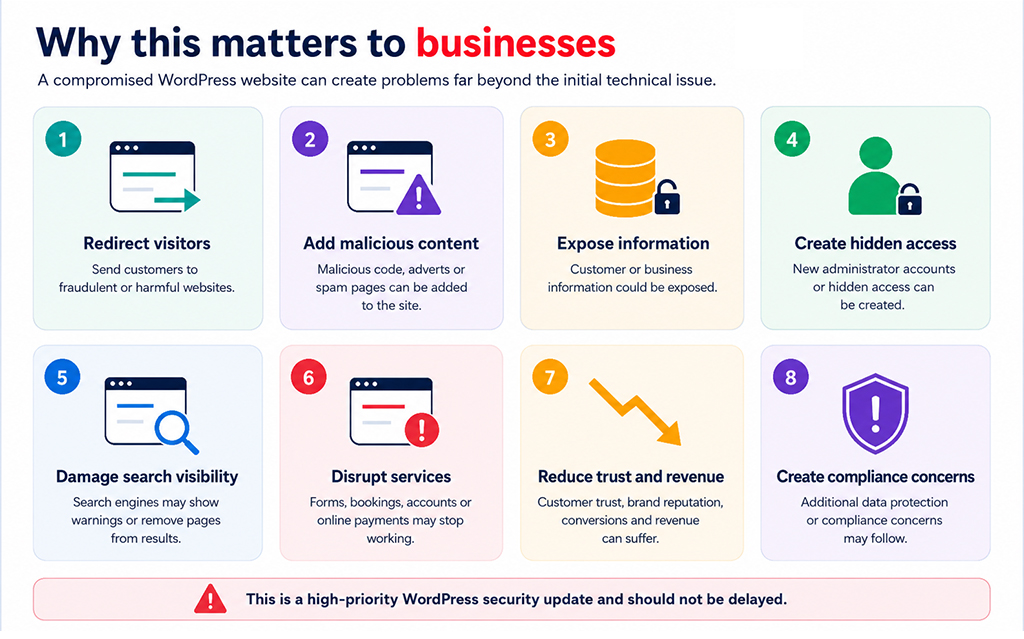
A compromised WordPress website can create problems far beyond the initial technical issue.
Depending on how an attacker uses the vulnerability, the consequences could include:
- Visitors being redirected to fraudulent or harmful websites.
- Malicious code, adverts or spam pages being added to the site.
- Customer or business information being exposed.
- New administrator accounts or hidden access being created.
- Search engines displaying security warnings or removing pages from results.
- Contact forms, bookings, customer accounts or online payments being disrupted.
- Damage to customer trust, brand reputation, conversions and revenue.
- Additional data protection or compliance concerns.
There is no need to panic, but this is a high-priority WordPress security update that should not be delayed.
How to check and update WordPress
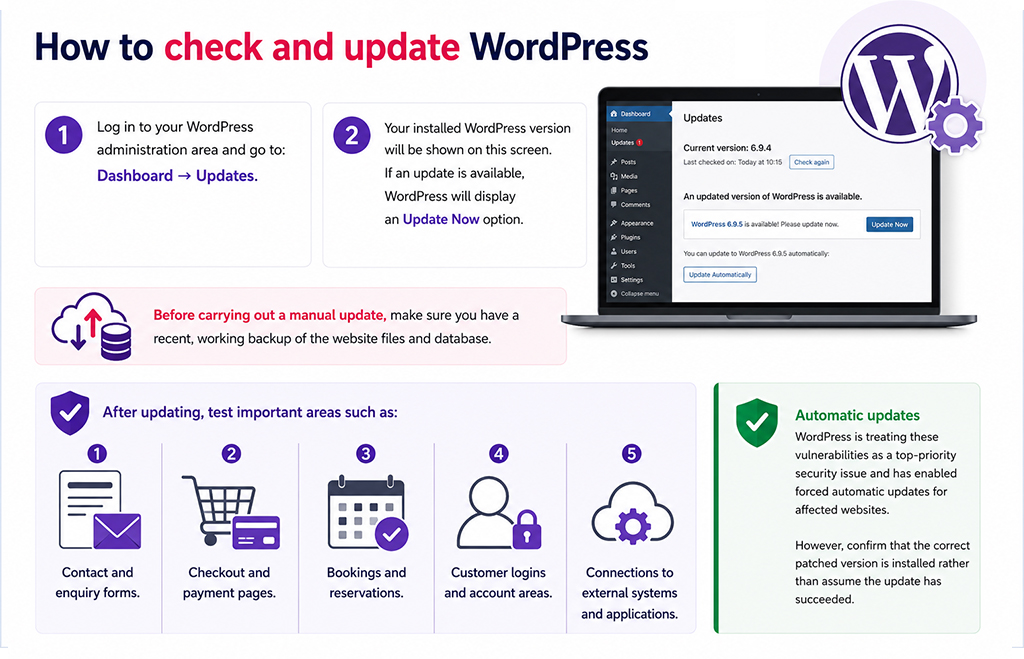
Log in to your WordPress administration area and go to:
Dashboard → Updates
Your installed WordPress version will be shown on this screen. If an update is available, WordPress should display an Update Now option.
WordPress is treating these vulnerabilities as a top-priority security issue and has enabled forced automatic updates for affected websites. This means many sites should receive the fix without manual intervention.
However, automatic updates can fail or may have been disabled because of hosting restrictions, file permissions or previous configuration changes. Website owners should confirm that the correct patched version is installed rather than assume the update has succeeded.
Before carrying out a manual update, make sure you have a recent, working backup of the website files and database. After updating, test important areas such as:
- Contact and enquiry forms.
- Checkout and payment pages.
- Bookings and reservations.
- Customer logins and account areas.
- Connections to external systems and applications.
How Cloudflare’s WAF protection helps
A web application firewall, or WAF, acts like a security checkpoint in front of a website. It inspects incoming traffic and can block requests that match known attack patterns before they reach WordPress.
Cloudflare deployed two new WAF rules at 17:03 UTC on 17 July 2026:
- One rule detects crafted parameter values associated with the SQL injection vulnerability.
- The other identifies requests attempting to reach the remote code execution path.
Together, the rules provide protection at two different points in the attack process.
| Protection | CVE | Cloudflare managed rule ID | Cloudflare free rule ID | Default action |
|---|---|---|---|---|
| WordPress SQL injection | CVE-2026-60137 | 1c060d3a371549219ee290d7ed933fcc |
db003b39b7774859a8d588ce33697a1a |
Block |
| WordPress remote code execution | CVE-2026-63030 | 7dfb2bd4708d4b88b9911dc0550664b6 |
ebd3f2df15c74ddcbf6220c9b5ec246a |
Block |
Cloudflare customers on Pro, Business or Enterprise plans should confirm that Cloudflare Managed Rules are enabled. Customers using the free plan receive protection through Cloudflare’s Free Managed Ruleset, provided the website’s traffic is being proxied through Cloudflare.
The default action for both rules is Block. Website owners should review any ruleset-level overrides that may have changed managed rules from Block to Log.
Cloudflare users should also review Security Events for requests that match either rule. Repeated matches may indicate that attackers have attempted to target the website.
A WAF does not replace the security update
Cloudflare’s rules and other WAF protections reduce exposure while WordPress is being updated, but they do not repair the vulnerable code.
Attack methods can change, firewall settings can be misconfigured, and a website may not be correctly routed through the WAF. Updating WordPress remains the most effective way to address the underlying vulnerabilities.
If an immediate update is not possible, confirm that both Cloudflare rules are active with the recommended Block action and review security logs for suspicious requests involving the affected REST API endpoint.
If your website runs on a VPS or another self-managed server, do not assume that the hosting provider’s network firewall provides the same protection as a web application firewall. Confirm whether website traffic passes through a WAF and whether the relevant WordPress security rules are enabled.
Temporarily restricting access to an affected REST API endpoint may reduce risk, but it can also interfere with legitimate website features and integrations. These changes should be handled by an experienced hosting or WordPress security provider.
Warning signs of a compromised website
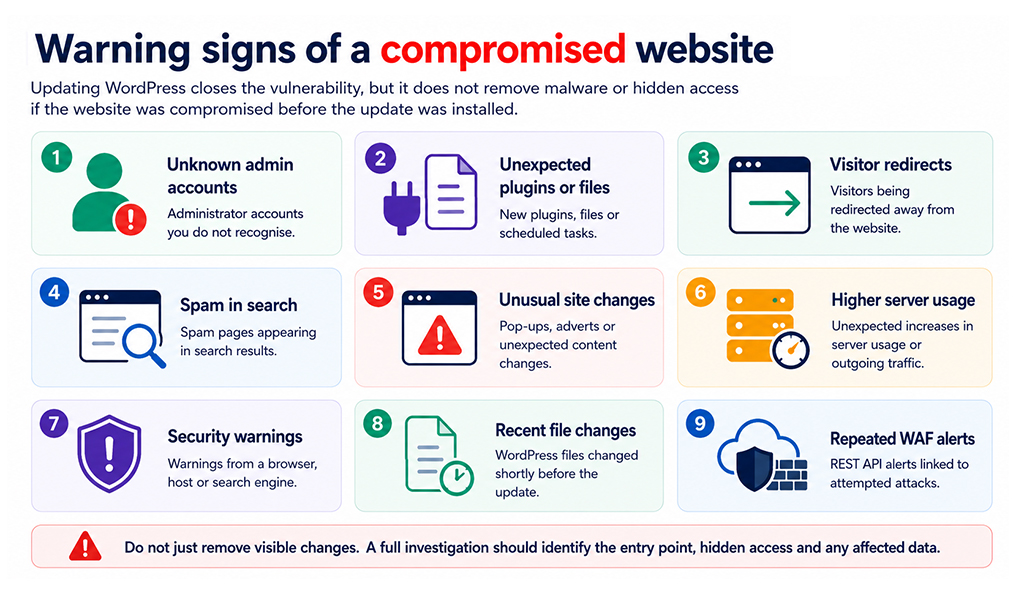
Updating WordPress closes the vulnerability, but it does not remove malware or hidden access if the website was compromised before the update was installed.
Look out for:
- Administrator accounts you do not recognise.
- Unexpected plugins, files or scheduled tasks.
- Visitors being redirected away from the website.
- Spam pages appearing in search results.
- Unusual pop-ups, adverts or changes to website content.
- Unexpected increases in server usage or outgoing traffic.
- Security warnings from a browser, hosting provider or search engine.
- Changes to WordPress files shortly before the security update was installed.
- Repeated WAF alerts involving the WordPress REST API.
If anything looks suspicious, avoid simply deleting the visible changes. A complete malware removal process should identify the original point of entry, remove malicious files and hidden access, review administrator accounts, and check that the database and wider hosting account have not been altered.
Prevention and resolution
To protect your website from wp2shell and similar threats:
- Check the WordPress core version on every live, staging and development website.
- Install WordPress 7.0.2, 6.9.5, 6.8.6 or a later supported release for your current branch.
- Confirm that the security update completed successfully.
- Update plugins and themes to their latest supported versions.
- Confirm that your WAF is active and configured to block the relevant attacks.
- Review WordPress, server and firewall logs for suspicious activity.
- Run a security scan and check all administrator accounts.
- Investigate any unexpected files, users, redirects or content changes.
- Maintain regular off-site backups and test that they can be restored.
- Use ongoing security monitoring and managed updates.
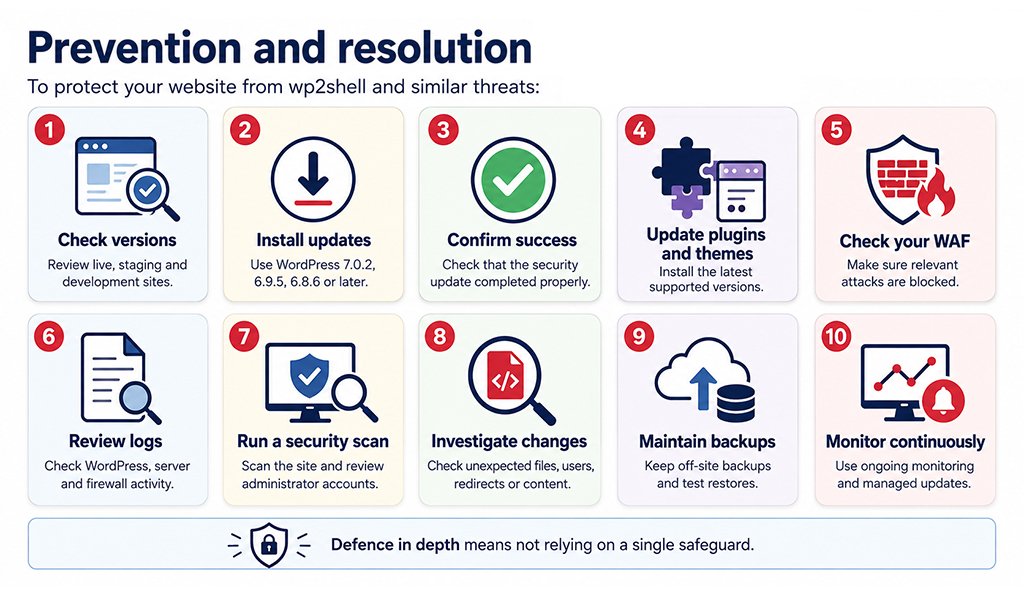
This approach is known as defence in depth. It combines updates, a WAF, backups, malware protection and security monitoring so that the website does not rely on a single safeguard.
Regular website maintenance and managed updates significantly reduce the time a known vulnerability remains open to attack.
How matm can help?
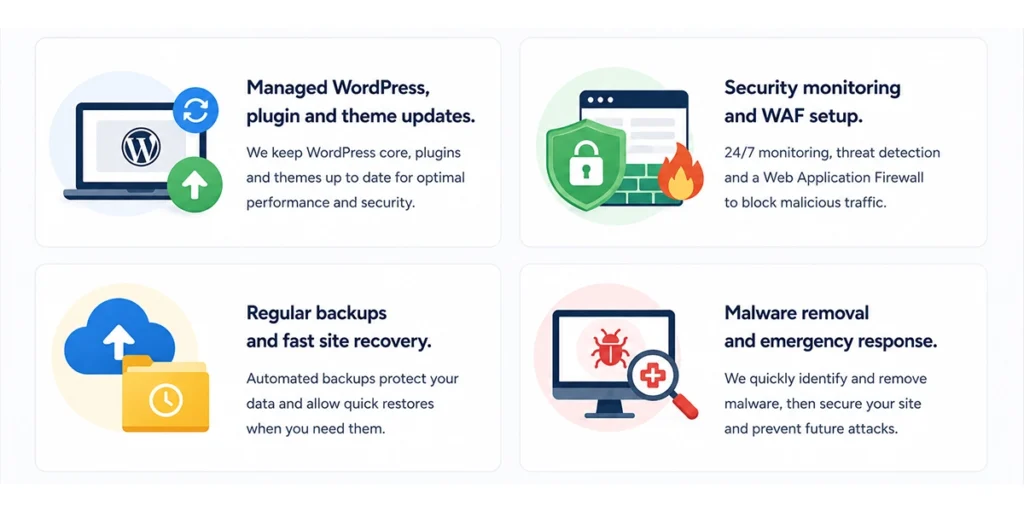
matm helps businesses keep WordPress websites secure, maintained and recoverable. Our web services include:
- Managed WordPress, plugin and theme updates.
- Security monitoring and WAF setup.
- Regular backups and fast site recovery.
- Malware removal and emergency response.
If you are unsure whether your website has received the required security update, contact matm at [email protected] or call 01952 883 526.
Technical details are from Cloudflare and version guidance from the WordPress security release.