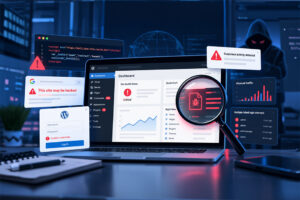
WordPress security is not just a technical issue. When a plugin or theme vulnerability is left unpatched, it can affect your rankings, customer trust, lead generation and revenue.
Sucuri’s latest roundup highlights a long list of WordPress plugins and themes that received important security updates during March 2026. In simple terms, attackers often scan the web for websites running known vulnerable software, then use those weaknesses to steal data, inject malicious code or take control of parts of a site.
The good news is that many of these issues can be reduced quickly with sensible website maintenance, managed updates, security monitoring and a properly configured web application firewall (WAF).
What’s going on
The main message from this month’s roundup is straightforward: known vulnerabilities are still one of the most common ways WordPress websites get compromised.
Many of the affected tools are widely used plugins and themes. That matters because popular software can become a bigger target. If updates are delayed, automated attacks can exploit websites at scale.
The issues reported this month include:
- Cross-site scripting (XSS) – where attackers inject unwanted code into a site or its admin area
- Sensitive data exposure – where information may be revealed to the wrong people
- Broken access control – where users can reach areas or actions they should not be able to
- SQL injection – where attackers try to manipulate the site’s database
- Arbitrary file upload or code execution – some of the most serious issues, as these can open the door to malware
If that sounds technical, think of it like this: some vulnerabilities are like a faulty lock, some are like a window left open, and some are like handing over the keys by mistake.
Why this matters to business owners
A vulnerable website is not only an IT problem. It can become a business continuity problem very quickly.
- SEO damage: hacked sites can be flagged by search engines or used for spam pages
- Lost trust: visitors are far less likely to enquire or buy if they see warnings or suspicious behaviour
- Downtime: malware infections and emergency clean-ups can take your site offline
- Compliance concerns: data exposure can create wider legal and reputational issues
- Revenue loss: every hour of disruption can affect leads, sales and customer confidence
This is why WordPress security should be treated as part of ongoing website maintenance, not a one-off task.
Notable plugin risks in March 2026
This month’s list includes issues in several well-known plugins used across a huge number of WordPress websites.
Some of the most notable examples include updates for Elementor, Yoast SEO, WPForms, Yoast Duplicate Post, Really Simple Security, Complianz, MC4WP, Smart Slider 3, The Events Calendar, Ninja Forms, Meta Box, Page Builder by SiteOrigin, SureForms, Post SMTP, WP Mail Logging, Formidable Forms, ExactMetrics, Ultimate Member and AI Engine.
There are also a few especially urgent cases where no fix was available at the time of publishing. These included:
- W3 Total Cache – critical arbitrary code execution risk with no fix listed
- Royal Addons for Elementor – one issue listed with no fix available
- SiteGuard WP Plugin – bypass vulnerability with no fix listed
- Widget Options – critical remote code execution risk with no fix listed
When there is no patch, the safest response is usually to disable, remove or replace the affected plugin until a secure update is available.
Theme vulnerabilities were reported too
It is easy to focus only on plugins, but themes can introduce risk as well.
The roundup also included theme-related issues affecting Astra, Blocksy, Education Zone, Ona, News Magazine X and Estate. One theme, Nirvana, was listed with no fix available at the time, which means website owners using it should review whether it is still appropriate to keep in place.
This is a useful reminder that secure website maintenance needs to cover your whole WordPress stack, including themes, plugins, the core platform and hosting environment.
Warning signs your site may be at risk
You may not always see obvious symptoms straight away, especially if attackers are trying to stay hidden. Still, some warning signs are worth checking:
- Plugins or themes that have been waiting for updates for weeks or months
- Software on your site that is no longer actively maintained
- Unexpected admin users or changes in settings
- Strange redirects, pop-ups or spam pages appearing in search results
- A sudden drop in performance or unusual spikes in traffic
- Security warnings from Google, your host or monitoring tools
If you spot any of these, it is worth acting quickly. Early malware removal is usually simpler, cheaper and less disruptive than dealing with a larger compromise later.
What you should do now
If your website uses any of the affected plugins or themes, the priority is simple: review, update and reduce exposure.
- Audit your plugins and themes. Check what is installed, what is active and what is no longer needed.
- Apply updates promptly. Security patches are most useful when they are installed quickly.
- Remove unused software. Inactive plugins and themes can still increase risk.
- Replace anything with no fix. If a tool has a serious issue and no patch, do not leave it in place longer than necessary.
- Use a WAF. A web application firewall helps block many known attacks before they reach your website.
- Enable security monitoring. Ongoing alerts and scans help catch problems earlier.
- Keep backups current. Regular backups are essential for recovery if something goes wrong.
For many organisations, the real challenge is not knowing what to do. It is finding the time and process to do it consistently. That is where managed updates and proactive website maintenance make a real difference.
How matm can help
If you would rather not keep track of plugin vulnerabilities, patch cycles and security tools yourself, matm can help keep your WordPress site secure, supported and up to date.
- Managed WordPress, plugin & theme updates
- Security monitoring and WAF setup
- Regular backups & fast site recovery
- Malware removal and emergency response
Need help reviewing your current setup or cleaning up a compromised site? Contact matm at [email protected] or call 01952 883 526.
Based on research by Sucuri.