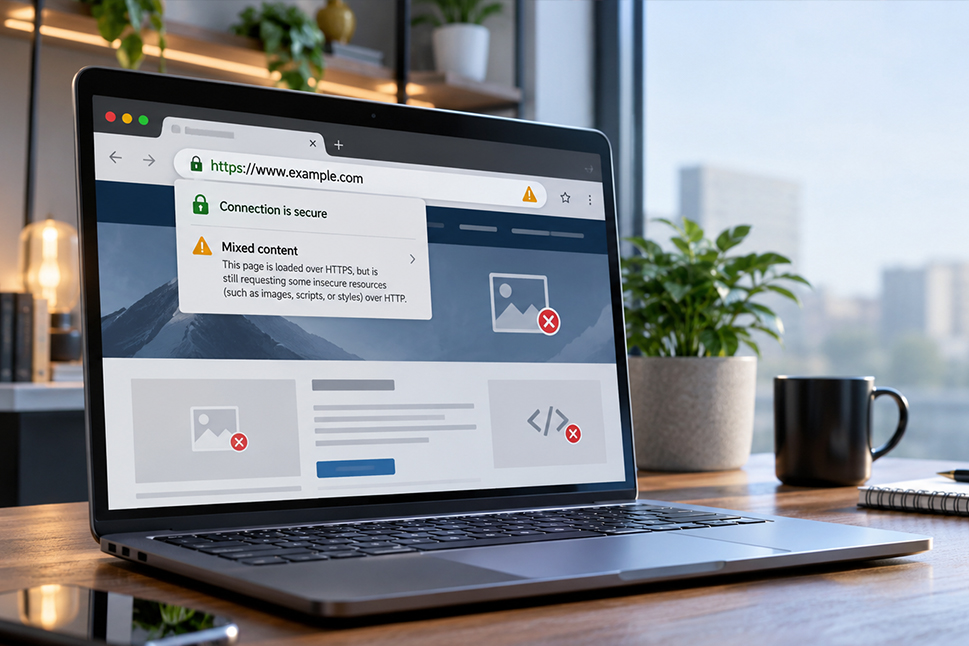
You’ve installed an SSL certificate, moved your website to HTTPS and expected everything to work securely. But instead, your browser displays a security warning, images disappear or parts of your website stop working.
If this sounds familiar, your website may be experiencing a mixed content error.
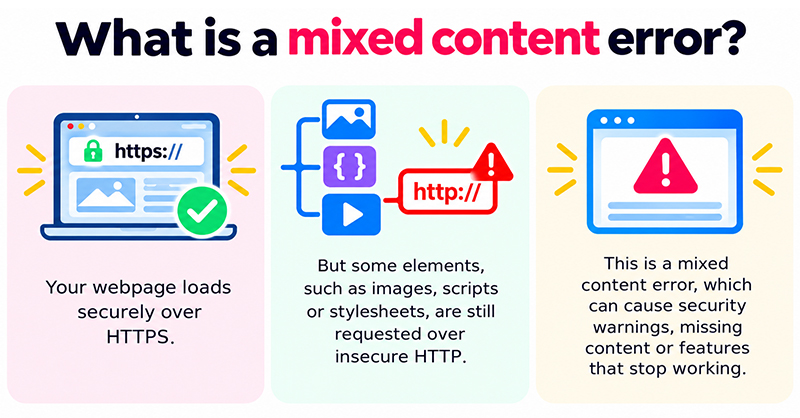
Mixed content is a common problem when websites move from HTTP to HTTPS. Although the main webpage loads over a secure connection, some elements, such as images, scripts or stylesheets, are still being requested through an insecure HTTP connection.
For business websites, this can create security risks, affect website functionality and undermine visitor confidence.
In this guide, we explain what mixed content errors are, why they occur, how to identify them and what steps you can take to resolve them, including specific advice for WordPress websites.
What is mixed content on a website?
Mixed content occurs when a webpage loads securely over HTTPS but attempts to load some of its resources through an insecure HTTP connection.
HTTPS stands for Hypertext Transfer Protocol Secure. It uses encryption to protect information transmitted between a visitor’s browser and the website server.
When a website uses HTTPS correctly, the browser can establish a secure connection and protect the information being exchanged.
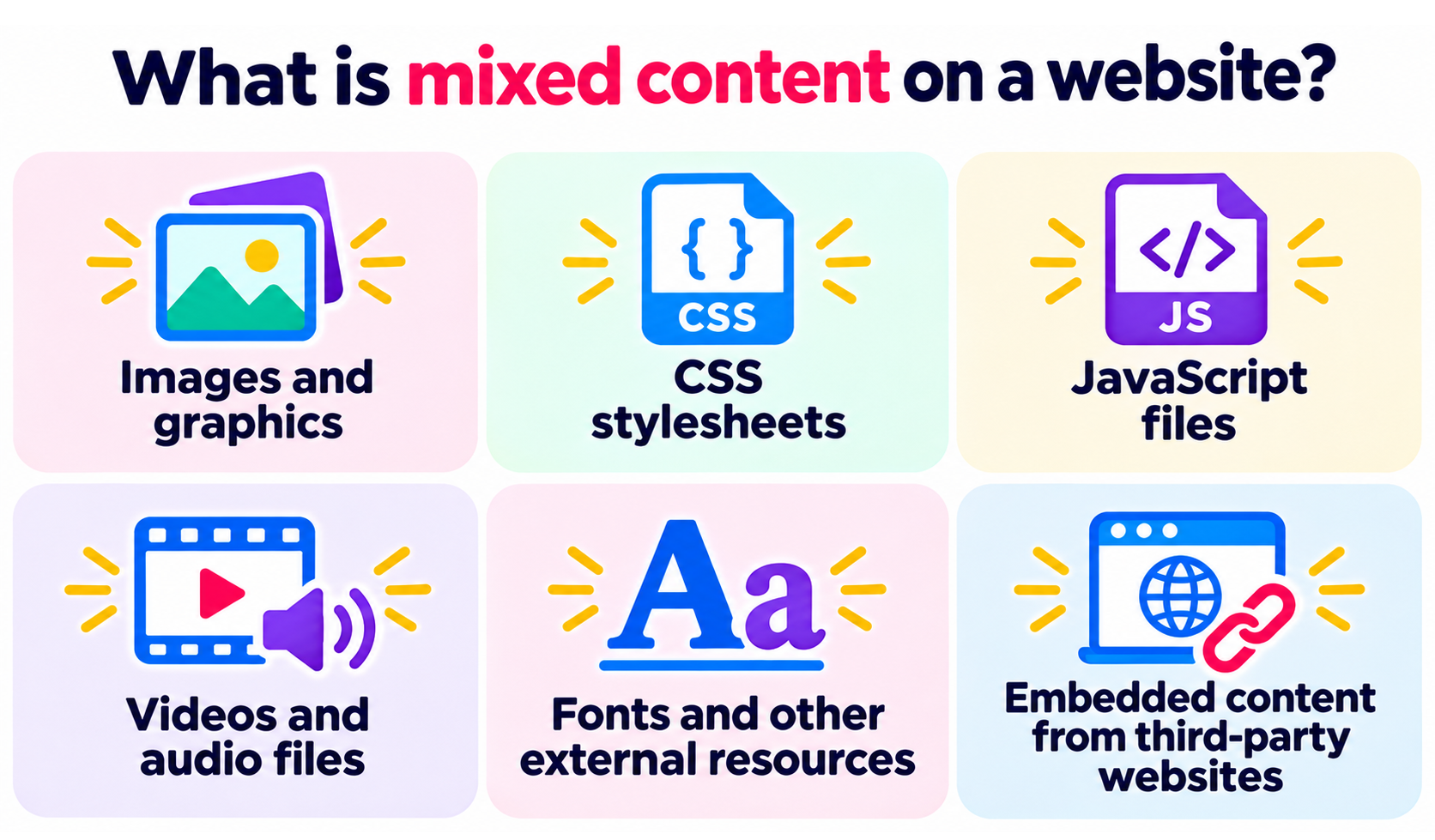
However, webpages rarely consist of HTML alone. They also load additional resources, including:
- Images and graphics.
- CSS stylesheets that control the website’s appearance.
- JavaScript files that provide interactive functionality.
- Videos and audio files.
- Fonts and other external resources.
- Embedded content from third-party websites.
If a webpage is delivered over HTTPS but requests one of these resources using HTTP, the browser identifies it as mixed content.
Depending on the resource involved, the browser may attempt to load a secure version, block the resource entirely or display a security warning.
Why are mixed content errors a security problem?
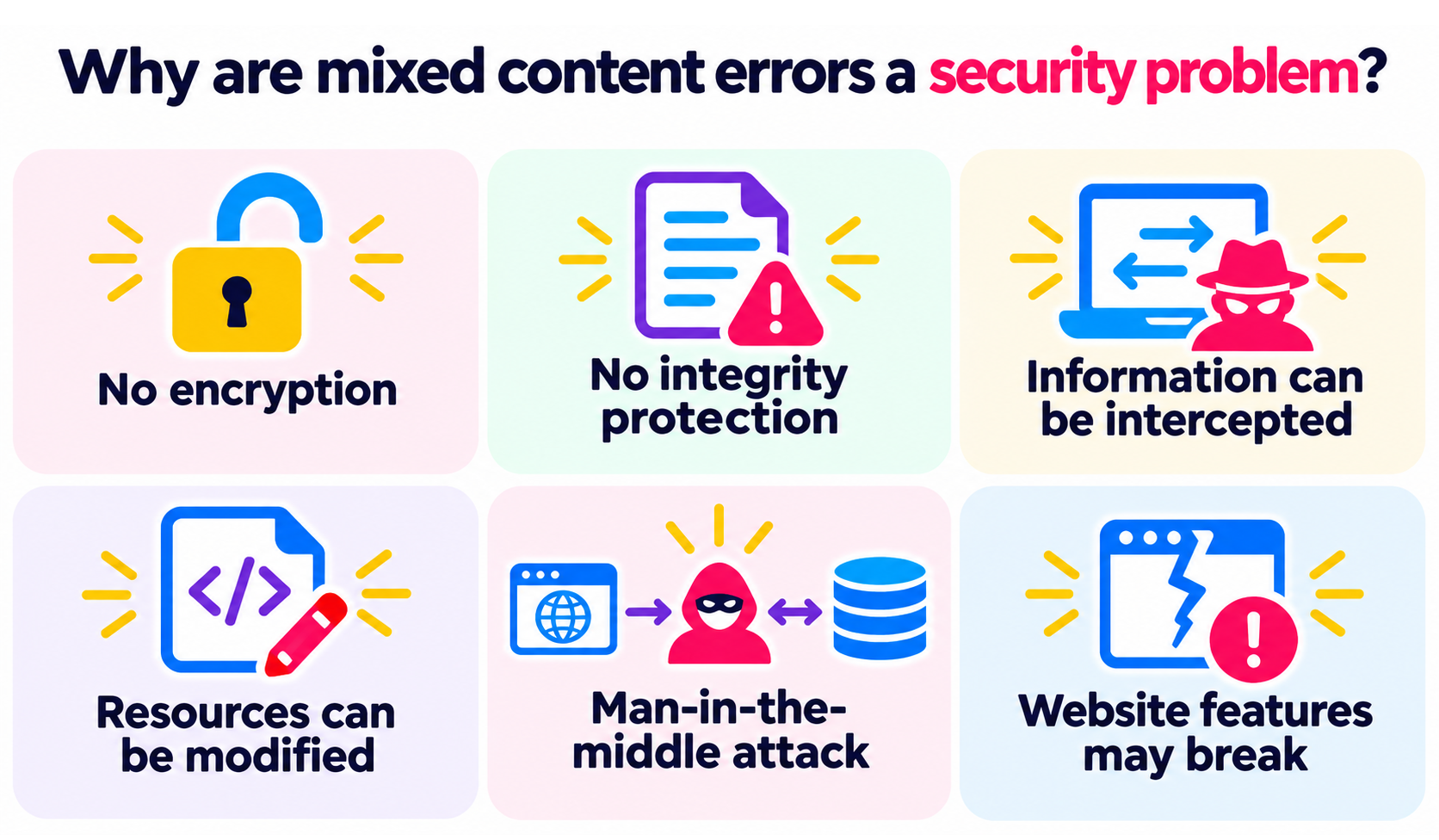
Mixed content creates a potential weakness because HTTP connections do not provide the encryption and integrity protection offered by HTTPS.
This means information transferred through an insecure connection could potentially be intercepted or modified by someone with access to the network traffic.
For example, an attacker positioned between a website visitor and the server might attempt to interfere with an unencrypted resource.
If that resource contains executable JavaScript, modifying it could introduce malicious behaviour into an otherwise secure webpage.
This type of interference is associated with a man-in-the-middle attack, where an attacker intercepts or manipulates communication between two systems.
Modern browsers reduce these risks by restricting or blocking insecure resources loaded within HTTPS pages.
However, these protections can introduce another problem for website owners: important website features may no longer work correctly.
How can mixed content affect your business website?
Mixed content errors are not just a technical inconvenience. They can affect how customers experience your website and how reliably its features operate.
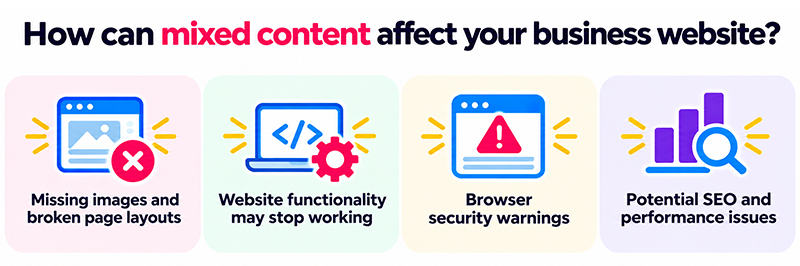
Missing images and broken page layouts
If browsers block insecure resources, images may disappear or elements of the website may not display as intended.
Blocked CSS files can cause layouts to lose their styling, leaving pages difficult to navigate or visually inconsistent.
For businesses relying on their website to promote products and services, this can create a poor first impression.
Website functionality may stop working
JavaScript powers many interactive website features, including menus, forms, booking systems and other dynamic elements.
If an important JavaScript file is blocked because it loads over HTTP, the functionality depending on that file may fail.
This could prevent customers from completing important actions, potentially resulting in lost enquiries or sales.
Browser security warnings
Browsers may indicate that a webpage contains insecure content or show warnings when certain resources cannot be loaded securely.
For visitors, these warnings can create uncertainty about whether the website is trustworthy.
Even when the issue is caused by an outdated image URL rather than malicious activity, customers may not understand the difference.
Potential SEO and website performance issues
Mixed content does not automatically result in a specific search engine ranking penalty.
However, blocked scripts, stylesheets and other resources can affect how webpages render for users and search engine crawlers.
If important content or functionality cannot load correctly, this may affect accessibility, usability and search engine visibility.
Addressing mixed content errors is therefore an important part of maintaining a technically sound, accessible website.
What causes mixed content errors?
Mixed content issues most commonly appear when an existing website moves from HTTP to HTTPS.
Although an SSL/TLS certificate has been installed and the main website address has changed, some references to website resources may still use the original HTTP address.
Common causes include:
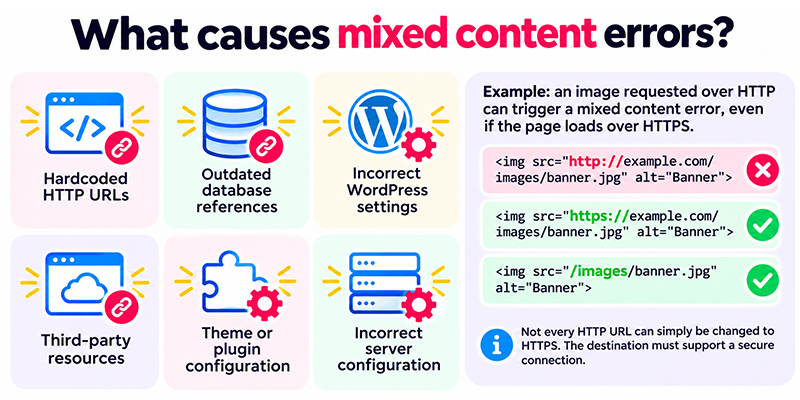
- Hardcoded HTTP URLs: Images, scripts or stylesheets contain fixed HTTP addresses within website files or templates.
- Outdated database references: Website content or configuration settings still contain links to resources using HTTP.
- Incorrect WordPress settings: The website’s URL configuration or plugin settings still reference HTTP.
- Third-party resources: External scripts, images or embedded content are requested from insecure URLs.
- Theme or plugin configuration: WordPress themes and plugins generate insecure resource URLs.
- Incorrect server configuration: The website or application does not correctly recognise that requests are being made over HTTPS.
For example, a website might contain an image reference such as:
<img src="http://example.com/images/banner.jpg" alt="Banner">Even if the webpage itself loads over HTTPS, the browser may flag this image because it is requested over HTTP.
Where the resource supports HTTPS, the reference should be updated:
<img src="https://example.com/images/banner.jpg" alt="Banner">For resources hosted on the same website, relative URLs can also help avoid unnecessary references to a specific protocol:
<img src="/images/banner.jpg" alt="Banner">However, not every HTTP URL can simply be changed to HTTPS. The destination must actually support a secure connection.
How to find mixed content errors on your website
Before fixing mixed content, you need to identify which resources are causing the problem.
Several tools can help, ranging from browser features to specialist website scanning services.
1. Check your browser’s developer tools
One of the most useful ways to identify mixed content is through the developer tools available in browsers such as Google Chrome, Firefox and Microsoft Edge.
To investigate a page:
- Open the affected webpage.
- Right-click the page and select Inspect, or open the browser’s developer tools.
- Select the Console tab.
- Look for warnings referring to mixed content or resources requested using HTTP.
- Review the URLs identified in the warnings.
The browser may display a message indicating that a secure HTTPS page attempted to load an insecure HTTP resource.
These messages can help identify exactly which image, script or stylesheet needs attention.
The Network tab can also be useful for reviewing individual resource requests and identifying those that have been blocked.
2. Scan your website for mixed content
Website testing tools can help identify insecure resources without requiring you to manually inspect every line of code.
For example, WebPageTest allows you to examine how a webpage loads, including the resources requested during the process.
Another useful tool is Sucuri SiteCheck, which can identify certain website security and configuration issues, including mixed content warnings.
These tools can provide a useful starting point, particularly for website owners who do not have direct access to server files.
However, automated scans may not detect every issue, particularly those involving pages behind a login or functionality triggered by user interaction.
3. Search website files for HTTP references
For websites containing custom HTML, PHP or JavaScript, insecure URLs may be written directly into the source code.
A developer can search website files for references to http:// and identify resources that need updating.
On servers where command-line access is available, tools such as grep can help locate these references.
However, not every HTTP reference represents a mixed content problem. The results should be reviewed before making changes.

How to fix mixed content errors in WordPress
WordPress websites can develop mixed content problems for several reasons, particularly following an HTTPS migration or a change of hosting provider.
Images, plugin settings, theme options and database content may all contain older HTTP references.
The correct approach depends on where those references are stored.
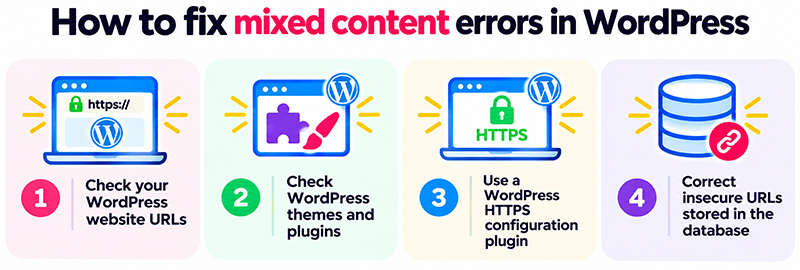
1. Check your WordPress website URLs
Start by reviewing the website address settings in WordPress.
Within the WordPress dashboard, navigate to Settings > General.
Check that both the WordPress Address (URL) and Site Address (URL) use HTTPS.
For example:
https://example.comBoth settings should reflect the correct website address and configuration.
Some managed WordPress installations define these values within configuration files, so they may not be editable through the dashboard.
If you are unsure, ask your hosting provider or website developer to review them.
2. Check WordPress themes and plugins
Some WordPress themes and plugins store URLs within their configuration settings.
For example, a theme may contain references to background images, fonts or JavaScript files that were originally configured using HTTP.
Similarly, a page builder or plugin may have stored external image URLs before the website moved to HTTPS.
These settings may need to be updated individually.
Before changing plugin or theme configuration, check whether the issue affects a specific component and whether an update is available that addresses the problem.
3. Use a WordPress HTTPS configuration plugin
Plugins can help identify or address common HTTPS configuration problems.
One example is Really Simple Security, previously known as Really Simple SSL.
The plugin provides tools for managing HTTPS configuration and certain mixed content issues.
However, installing a plugin should not automatically be the first solution for every website.
If the cause is a small number of outdated URLs, correcting those references directly may be preferable to introducing another plugin.
Any new plugin should also be reviewed for compatibility and maintained as part of the website’s ongoing WordPress security procedures.
4. Correct insecure URLs stored in the database
WordPress stores much of its content and configuration within a database.
This can include image references, links, page builder content and plugin settings.
If a website previously used HTTP, some of these database records may still contain the old URLs after an HTTPS migration.
A targeted search-and-replace operation can update the affected references.
For example:
Find:    http://example.com
Replace: https://example.com
Before carrying out any database changes, take a full backup and ensure it can be restored.
WordPress databases can contain serialised data, which stores structured information in a specific format. Using a basic text replacement or an unsuitable database query can corrupt these records.
For this reason, developers should use a WordPress-compatible search-and-replace tool that correctly handles serialised data.
WP-CLI provides a search-and-replace command for this purpose.
For example, a developer could perform a preliminary dry run using:
wp search-replace 'http://example.com' 'https://example.com' --all-tables-with-prefix --dry-runThis checks the proposed changes without modifying the database.
Once the results have been reviewed and a verified backup is available, the changes can be applied without the --dry-run option.
Database changes should be carried out carefully, ideally on a staging website before being applied to the live environment.
How to fix mixed content in website files
For websites with custom templates or hardcoded resource references, mixed content may need to be corrected directly within the website files.
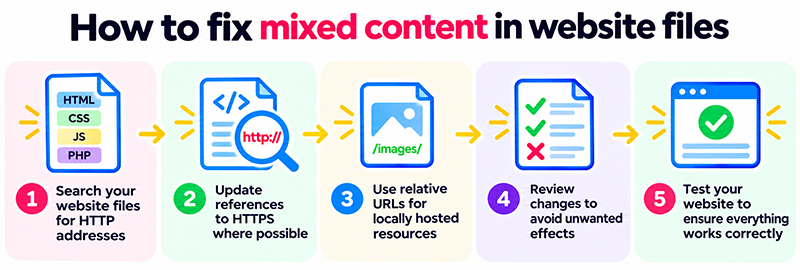
A developer can search the relevant HTML, CSS, JavaScript and PHP files for HTTP addresses.
Once identified, these references should be updated to use HTTPS where the resource supports a secure connection.
Where appropriate, relative URLs can also be used for locally hosted resources.
It is important to review each change rather than replacing every occurrence of HTTP indiscriminately.
Some URLs may relate to external services, documentation or other resources where changing the protocol would be inappropriate.
After updating the affected files, the website should be tested to confirm that the resources load correctly and that no new functionality problems have been introduced.
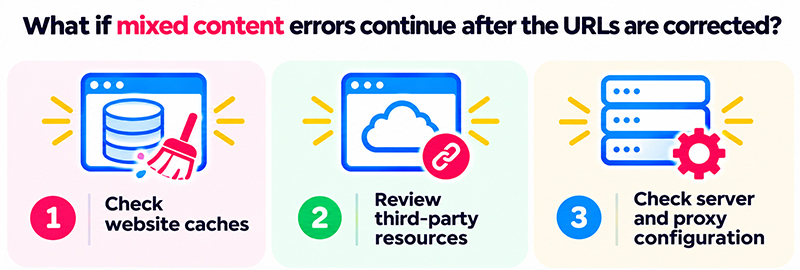
What if mixed content errors continue after the URLs are corrected?
Sometimes mixed content warnings remain even after the obvious HTTP references have been updated.
In these situations, the problem may involve additional website configuration or cached content.
Check website caches
WordPress caching plugins, server caches and content delivery networks can continue serving older versions of webpages.
If those cached pages contain HTTP resource references, visitors may still encounter mixed content warnings.
Clearing the relevant caches can ensure that visitors receive the updated content.
Review third-party resources
Some websites load resources from external providers, such as embedded widgets, fonts, analytics scripts or other integrations.
If an external service does not support HTTPS, the browser may block its resources.
In these cases, the website owner may need to update the integration, use a secure alternative or remove the affected resource.
Check server and proxy configuration
For websites using reverse proxies, load balancers or CDN services, HTTPS may terminate before the request reaches the website’s application server.
If the website is not correctly configured to recognise the original secure connection, it may generate HTTP links even though visitors are accessing the site over HTTPS.
Resolving this may require changes to the server or application configuration.
These settings should be reviewed by someone familiar with the hosting environment, rather than applying generic configuration changes without checking how the server handles HTTPS traffic.
Should you allow mixed content in your browser?
Some browsers provide ways to allow blocked insecure content under particular circumstances.
However, allowing mixed content is not a recommended solution for a live business website.
Doing so can undermine the protection provided by HTTPS and may expose visitors to unnecessary security risks.
It also does not address the underlying problem. Other visitors may still encounter warnings or find that important website resources are blocked.
The appropriate solution is to identify and correct insecure resource references rather than asking visitors to bypass their browser’s security protections.
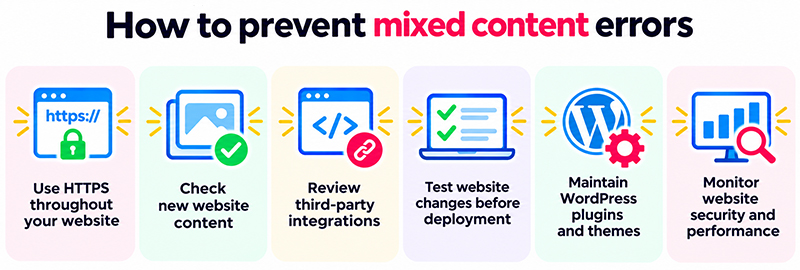
How to prevent mixed content errors
Once mixed content issues have been resolved, a few preventative measures can help reduce the likelihood of them returning.
- Use HTTPS throughout your website: Ensure pages and resources load securely wherever possible.
- Check new website content: Avoid adding hardcoded HTTP references when uploading images, embedding media or creating new pages.
- Review third-party integrations: Ensure external scripts and resources support HTTPS.
- Test website changes before deployment: Use a staging environment to check for mixed content after updates, redesigns or migrations.
- Maintain WordPress plugins and themes: Keep software updated and review components that generate insecure resource URLs.
- Monitor website security and performance: Regular checks can help identify configuration issues before they affect large numbers of visitors.
For businesses with actively maintained websites, checking for mixed content should form part of routine quality assurance, particularly after major updates or hosting changes.
Frequently asked questions about mixed content errors
A mixed content error occurs when a webpage loads over HTTPS but attempts to load additional resources, such as images, scripts or stylesheets, over an insecure HTTP connection. Browsers may warn about or block these resources to protect visitors.
Installing an SSL/TLS certificate enables secure connections, but it does not automatically update every resource URL stored in a website. Older HTTP references within page content, themes, plugins or databases can continue triggering mixed content warnings.
You can use your browser’s developer tools to inspect Console warnings and Network requests. Website testing tools such as WebPageTest and Sucuri SiteCheck can also help identify insecure resources.
Start by checking your WordPress website URL settings. Then investigate theme and plugin configurations, outdated HTTP links in content and any insecure references stored in the database. A WordPress-compatible search-and-replace tool may be needed to update database records safely.
Mixed content does not automatically result in a specific search engine penalty. However, blocked resources can affect how webpages render and function, potentially creating problems for visitors and search engine crawlers.
No. An SSL/TLS certificate enables a secure HTTPS connection, but mixed content errors can still occur if a webpage references resources using HTTP. Those references must be corrected separately.
Allowing mixed content can expose website visitors to unnecessary security risks. Rather than bypassing browser security warnings, website owners should update insecure resources so that they load over HTTPS.
How matm can help
Mixed content errors can affect the appearance, functionality and security of your website, sometimes appearing unexpectedly after an HTTPS migration, WordPress update or hosting change.
Although some problems can be resolved by correcting individual URLs, others require a more detailed investigation into WordPress, database content or server configuration.
At matm, we help businesses maintain secure, reliable and properly configured WordPress websites.
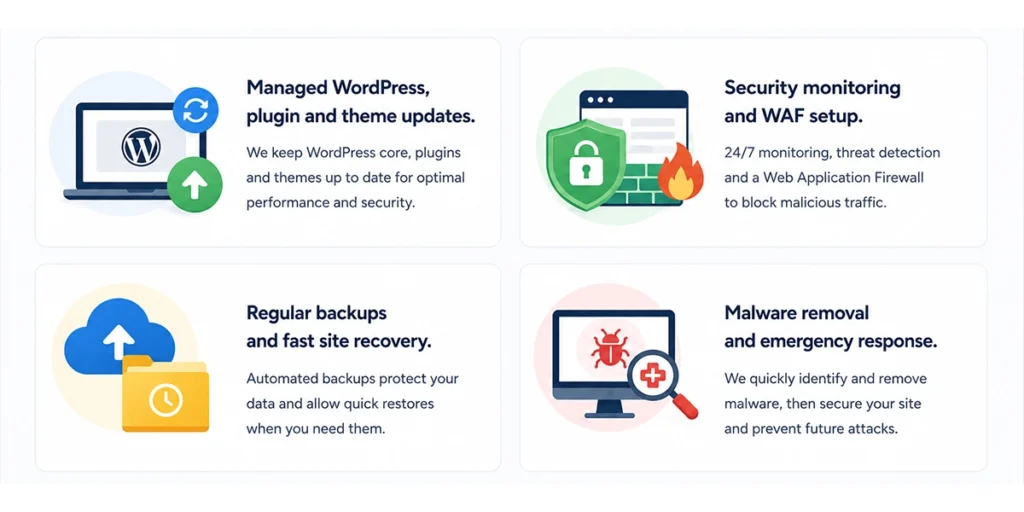
Our website support and security services include:
- Managed WordPress maintenance: Regular WordPress core, plugin and theme updates, with testing to identify potential problems.
- Website security monitoring: Monitoring for vulnerabilities, suspicious activity and security issues, including web application firewall (WAF) configuration.
- HTTPS and website configuration: Investigating SSL/TLS issues, mixed content warnings and other technical website problems.
- Website backups and recovery: Regular backups and support restoring website functionality following technical issues.
- Malware removal and emergency response: Investigating compromised websites, removing malicious code and helping address underlying security vulnerabilities.
Keeping your website secure involves more than installing an SSL certificate. Correct HTTPS configuration, ongoing maintenance and regular security monitoring all help ensure your website remains reliable for visitors.
If your WordPress website is displaying mixed content warnings or experiencing HTTPS problems, contact matm at [email protected] or call 01952 883 526 to discuss your website support requirements.
Based on research by Sucuri: How to Quickly Find & Fix Mixed Content Issues (SSL/HTTPS).