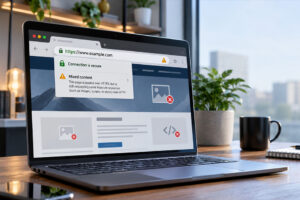
October 2026 saw another wave of WordPress plugin security vulnerabilities, affecting everything from website builders and contact forms to ecommerce platforms and performance tools.
Several widely used plugins, including Elementor, WooCommerce, LiteSpeed Cache and Rank Math SEO, were affected by security weaknesses that could potentially expose sensitive information, allow unauthorised access or compromise website functionality.
For businesses relying on WordPress, these discoveries are an important reminder that website security isn’t something you can set up once and forget about.
In this month’s WordPress security roundup, we look at some of the most significant vulnerabilities reported, what they mean for website owners and the steps businesses should take to stay protected.
Which WordPress plugins were affected in October 2026?
Security researchers identified vulnerabilities across hundreds of plugin listings during October, including several plugins with millions of active installations.
Some required an attacker to have an existing WordPress account, while others could potentially be exploited without logging in at all.
Here are some of the more notable security issues from the month’s reports.
Elementor Website Builder
Elementor is one of the most widely used WordPress page builders, with more than 10 million active installations.
Several vulnerabilities were reported, including stored cross-site scripting (XSS) and weaknesses in access permissions that could expose information.
Stored XSS vulnerabilities allow malicious code to be saved within website content, where it may later execute in another user’s browser.
The reported vulnerabilities required an existing user account with Contributor or Author permissions, depending on the issue.
Security update: Elementor version 4.3.5 addresses the reported XSS issues, while an earlier information exposure vulnerability was patched in version 4.2.4.
LiteSpeed Cache
LiteSpeed Cache, a popular WordPress performance plugin with more than 7 million active installations, was affected by multiple vulnerabilities.
Several were classified as high risk, including stored XSS weaknesses that could potentially be exploited without authentication.
Another vulnerability involved unauthorised information exposure.
Performance plugins operate closely with website content and caching processes, making it particularly important that they remain up to date.
Security update: Version 7.9.2 addressed several reported vulnerabilities, with an additional information exposure issue patched in version 7.10.
WooCommerce
WooCommerce powers millions of WordPress ecommerce websites, making its security particularly important for businesses processing online orders and customer information.
A high-risk privilege escalation vulnerability was identified that could allow an authenticated user with Shop Manager permissions to obtain additional privileges.
This type of vulnerability matters because an attacker who gains greater access than intended could potentially interfere with sensitive website administration functions.
Security update: WooCommerce versions 9.8.0 to 11.1.2 were affected, with the vulnerability patched in version 11.1.3.
Rank Math SEO
Rank Math SEO, used on more than 4 million WordPress websites, was affected by several security issues.
These included PHP object injection with potential remote code execution, SQL injection, arbitrary file upload and stored XSS.
The most concerning issue involved PHP object injection that could potentially lead to malicious code being executed on a website under the relevant conditions.
The reported vulnerabilities required authenticated WordPress users with varying permission levels.
Security update: The PHP object injection issue was patched in version 1.0.277, with further vulnerabilities addressed in version 1.0.280.
All in One SEO
All in One SEO was also affected by multiple vulnerabilities, including high-risk issues involving unauthorised shortcode execution and sensitive information disclosure.
Some could potentially be exploited without an attacker needing a WordPress account.
Shortcodes allow WordPress plugins to execute specific functionality within website content. If security checks are insufficient, attackers may be able to trigger functionality they shouldn’t have access to.
Security update: Several vulnerabilities were addressed across versions 5.0.2.1, 5.0.3 and 5.0.4. Website owners should update to version 5.0.4 or later.
W3 Total Cache
Another popular caching plugin, W3 Total Cache, was affected by multiple vulnerabilities involving stored XSS and path traversal.
Two high-risk XSS issues could potentially be exploited without authentication, including one involving comment content.
Path traversal vulnerabilities may allow attackers to access file paths outside their intended location, depending on the affected functionality and permissions.
Security update: The reported vulnerabilities were addressed across versions 2.10.6, 2.10.7 and 2.10.8. Updating to version 2.10.8 or later addresses these issues.
Forminator Forms
Forminator Forms experienced several security issues, including unauthenticated privilege escalation, stored XSS, shortcode execution and limited file deletion.
Contact forms are an important part of many business websites, allowing visitors to submit enquiries, upload documents and provide information.
Because forms accept information from external users, security weaknesses in how that information is processed can create opportunities for attackers.
Security update: Multiple fixes were released, with the latest patch version identified in the roundup being 1.58.2.
Other notable WordPress plugin vulnerabilities
The October roundup also included several other plugins worth checking:
- Jetpack: A missing authorisation vulnerability affecting versions up to 16.2, patched in version 16.3.
- Complianz: A high-risk stored XSS vulnerability affecting versions up to 7.5.5, patched in version 7.5.6.
- MainWP Child: A high-risk unauthenticated PHP object injection vulnerability, patched in version 6.2.2.
- Kirki: Multiple security weaknesses, including information exposure, shortcode execution and XSS. The latest patch version listed was 6.3.3.
- LearnPress: Several vulnerabilities involving PHP object injection, XSS and access permissions. The latest patch version listed was 4.4.12.
- Ajax Search Lite: A critical unauthenticated SQL injection vulnerability, patched in version 4.14.7.
- Theme My Login: A high-risk unauthenticated privilege escalation vulnerability, patched in version 7.2.2.
These are only some of the plugins featured in the October report. Even if your website doesn’t use any of the plugins mentioned above, it’s important to check all installed software regularly.
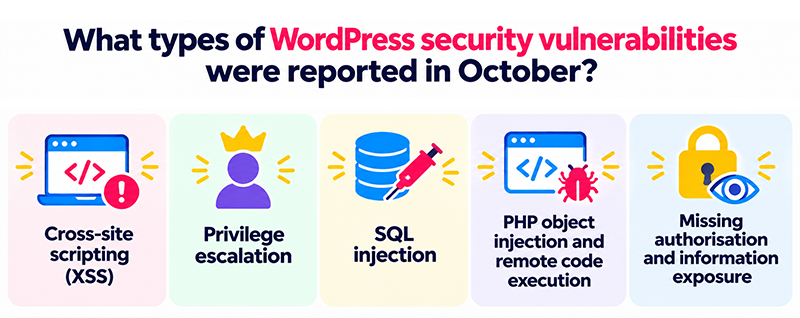
What types of WordPress security vulnerabilities were reported?
Security advisories often use technical terms that don’t immediately explain what a vulnerability means for a business website.
Several types of weaknesses appeared repeatedly throughout October.
Cross-site scripting (XSS)
Cross-site scripting allows malicious JavaScript to be introduced into website content or responses and potentially executed in a visitor’s browser.
Depending on the vulnerability, attackers may be able to interfere with website functionality, manipulate displayed content or target authenticated users.
Privilege escalation
Privilege escalation occurs when a user gains access to permissions or functionality beyond those assigned to their account.
For example, a user with limited access might be able to perform actions normally reserved for a website administrator.
Some vulnerabilities can also allow privilege escalation without requiring an existing account, making them particularly concerning.
SQL injection
SQL injection involves manipulating database queries through improperly handled input.
Depending on the weakness, attackers may be able to access, extract or modify information stored in a website’s database.
For businesses, this could create risks involving customer information, website content and other sensitive data.
PHP object injection and remote code execution
PHP object injection occurs when an application processes untrusted data in an unsafe way.
Under certain circumstances, this can allow attackers to trigger unintended functionality or execute malicious code.
Not every PHP object injection vulnerability automatically results in remote code execution, but those with a viable exploitation path can pose a serious security risk.
Missing authorisation and information exposure
Missing authorisation occurs when software fails to properly check whether a user should be allowed to perform an action.
Information exposure vulnerabilities can reveal data that should otherwise remain private.
These issues highlight why WordPress security depends on more than protecting the login page. Plugins must also correctly validate requests and enforce user permissions.
Why do WordPress vulnerabilities matter for businesses?
A vulnerable plugin doesn’t necessarily mean your website has been hacked. However, leaving known security weaknesses unpatched increases the opportunity for attackers to exploit them.
Many attacks are automated, with malicious bots continuously scanning websites for outdated software and known vulnerabilities.
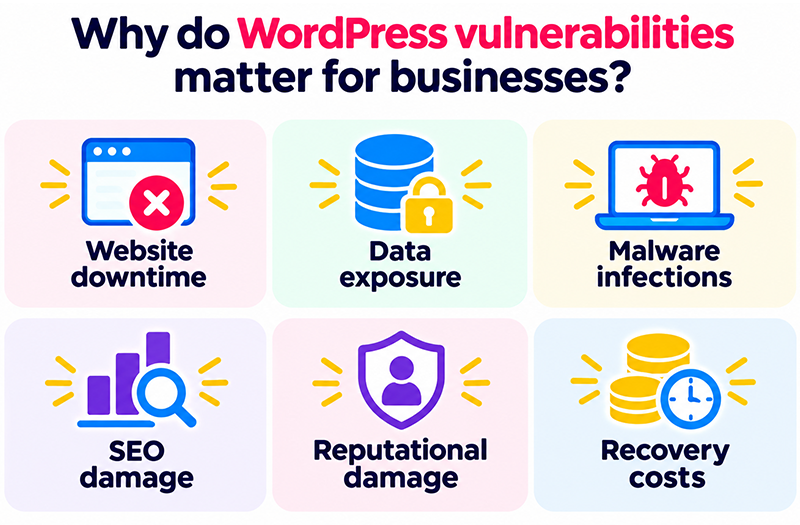
A successful attack could lead to:
- Website downtime: Making your website inaccessible to customers and potentially interrupting enquiries or online sales.
- Data exposure: Putting sensitive business or customer information at risk.
- Malware infections: Allowing malicious scripts, spam content or unwanted redirects to appear on your website.
- SEO damage: Search engines may flag compromised pages, while malicious redirects and spam content can affect search visibility.
- Reputational damage: Visitors may lose confidence in a website displaying security warnings or suspicious behaviour.
- Recovery costs: Investigating an attack, removing malware and restoring a website can take significant time and resources.
For ecommerce websites and businesses that rely heavily on online enquiries, even a short disruption can have a noticeable commercial impact.
How to protect your WordPress website
The good news is that many of the vulnerabilities reported during October already have security patches available.
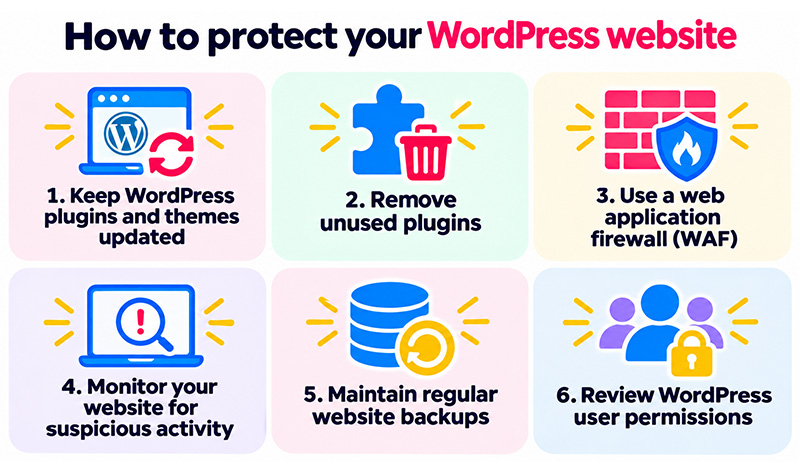
Keeping WordPress secure involves a combination of regular maintenance, appropriate security controls and ongoing monitoring.
1. Keep WordPress plugins and themes updated
Regularly check for updates to WordPress core, plugins and themes, prioritising releases that address known security vulnerabilities.
Where possible, test updates before deploying them to a live website, particularly when running ecommerce functionality or business-critical integrations.
2. Remove unused plugins
Deactivating a plugin doesn’t necessarily remove its files from your website.
If you no longer need a plugin or theme, remove it completely after confirming it isn’t required for website functionality.
Reducing unnecessary software helps limit the number of potential security weaknesses that need maintaining.
3. Use a web application firewall (WAF)
A web application firewall helps filter malicious traffic before it reaches your website.
A properly configured WAF can provide an additional layer of protection against common attacks, including attempts to exploit known vulnerabilities.
However, a firewall isn’t a replacement for installing security patches.
4. Monitor your website for suspicious activity
Website security monitoring can help identify unusual behaviour, unexpected file changes, malware and other warning signs.
Early detection can reduce the time between a security incident occurring and action being taken.
5. Maintain regular website backups
Reliable backups are essential if a website becomes compromised or an update causes an unexpected problem.
Backups should be stored securely, with restoration procedures tested periodically to ensure your website can be recovered when needed.
6. Review WordPress user permissions
Several October vulnerabilities required an attacker to have an existing WordPress account.
Businesses should regularly review user accounts, remove access that is no longer required and limit administrator permissions to trusted individuals.
Using strong passwords and multi-factor authentication adds another important layer of protection.
How matm can help keep your WordPress website secure
Keeping track of WordPress security vulnerabilities, plugin updates and emerging threats takes time, particularly when your website is an important part of running your business.
At matm, we understand that website owners need their websites to remain secure, reliable and working as expected.
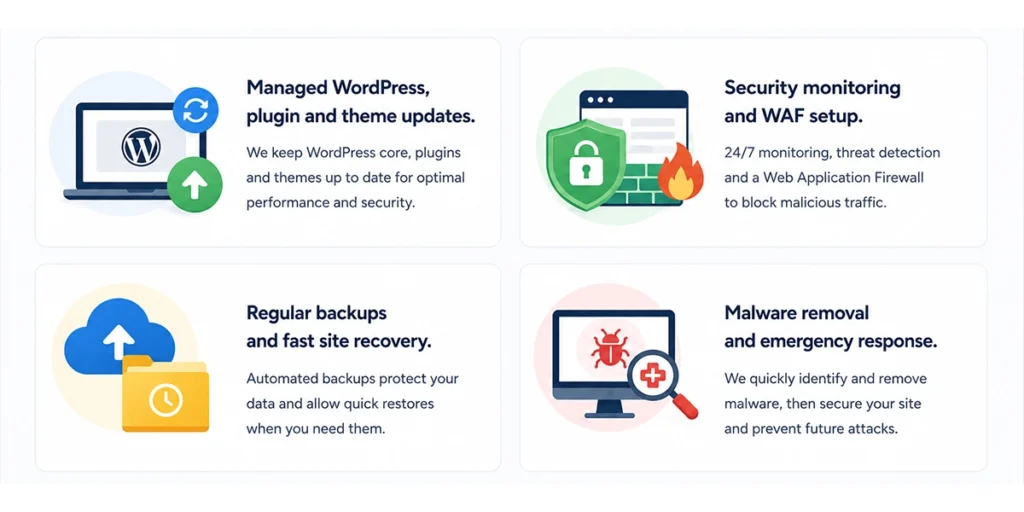
Our WordPress website maintenance and security support includes:
- Managed WordPress updates: Keeping WordPress core, plugins and themes maintained and updated.
- Website security monitoring: Checking for suspicious activity, potential vulnerabilities and other security concerns.
- Web application firewall protection: Configuring security measures to help block malicious traffic.
- Regular website backups: Maintaining reliable backups to support fast website recovery.
- Malware removal and emergency response: Investigating and resolving website security incidents when they occur.
Rather than waiting for something to go wrong, a proactive approach to website maintenance helps reduce security risks and keep your business online.
Concerned about your WordPress website security? Contact the matm team at [email protected] or call 01952 883 526 to discuss how we can help.
Based on research by Sucuri. Read the original Vulnerability & Patch Roundup for October 2026 for the full list of reported vulnerabilities and security updates.