
September 2026 saw security vulnerabilities reported across a wide range of popular WordPress plugins and themes, including WooCommerce, WPForms, LiteSpeed Cache, Jetpack, Really Simple Security and Rank Math SEO.
Some of these vulnerabilities could allow attackers to access sensitive information, bypass security controls, introduce malicious code or interfere with website functionality. Several could potentially be exploited without the attacker needing to log in.
Security patches have been released for the issues covered in this roundup. For businesses running WordPress websites, the priority is to identify any affected software and ensure the relevant updates have been applied.
Here is a summary of some of the notable vulnerabilities reported in September, what they mean for website owners and the steps needed to address them.
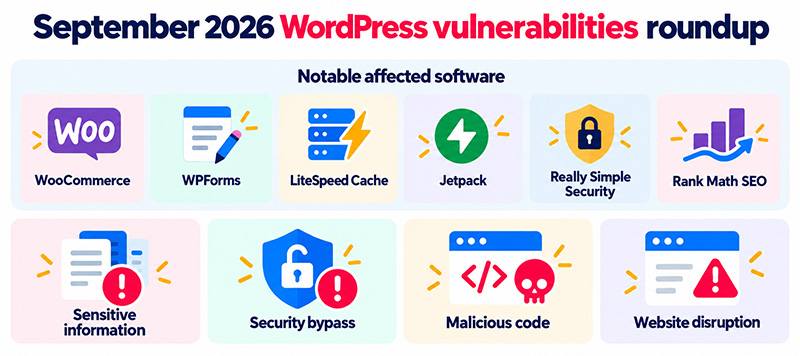
Which WordPress plugins were affected in September 2026?
The September security roundup highlighted vulnerabilities in plugins used for ecommerce, website performance, forms, SEO, backups and security.
Several of the affected plugins have millions of active installations, demonstrating why even widely used and established software needs regular security updates.
WooCommerce: Denial of service and SQL injection vulnerabilities
Two high-risk vulnerabilities were reported in WooCommerce, one of the most widely used ecommerce platforms for WordPress.
The first, CVE-2026-48888, could allow an unauthenticated attacker to trigger a denial-of-service condition. This means an attacker may be able to interfere with website availability without logging in.
A second vulnerability, CVE-2026-57777, involved SQL injection and required Shop Manager-level access or higher. SQL injection vulnerabilities can allow attackers to interfere with how a website communicates with its database.
For ecommerce businesses, website availability and database security are particularly important because problems can disrupt orders, customer accounts and payment processes.
Affected versions: WooCommerce below 11.1.0 for the denial-of-service issue, and versions up to 10.9.4 for SQL injection.
Security fix: Update WooCommerce to version 11.1.0 or later.
LiteSpeed Cache: Server request and scripting vulnerabilities
LiteSpeed Cache, a popular WordPress performance plugin, was affected by two reported vulnerabilities.
One involved server-side request forgery (SSRF), where a vulnerable website may be manipulated into making unintended server requests.
The other involved reflected cross-site scripting (XSS), which can allow malicious scripts to execute in a visitor’s browser under particular conditions.
Although the vulnerabilities carried different risk ratings, both demonstrate why performance plugins require the same security attention as other WordPress software.
Affected versions: LiteSpeed Cache 7.9 and earlier.
Security fix: Update to version 7.9.1 or later.
WPForms: Multiple security vulnerabilities
Three vulnerabilities were reported in WPForms, a widely used WordPress form-building plugin.
These included arbitrary shortcode execution, reflected cross-site scripting and missing authorisation checks.
The highest-rated issue, CVE-2026-84744, involved arbitrary shortcode execution without requiring an authenticated account.
WordPress shortcodes are used to insert functionality or content into pages. If vulnerable software allows shortcodes to be executed without appropriate restrictions, attackers may be able to trigger functionality they should not control.
Affected versions: Different WPForms releases up to version 2.0.2 were affected by the reported issues.
Security fix: Update WPForms to version 2.0.2.1 or later.
Really Simple Security: Authentication bypass and denial of service
Really Simple Security was among the notable plugins affected by multiple high-risk vulnerabilities during September.
These included:
- Two vulnerabilities involving the bypass of two-factor authentication.
- A denial-of-service vulnerability.
- An issue allowing unbounded growth of stored WordPress options.
- A missing authorisation check affecting two-factor authentication controls.
Security plugins have a particularly important role because businesses rely on them to strengthen website protection.
The authentication bypass vulnerabilities are especially relevant, as two-factor authentication is intended to prevent unauthorised access even when login credentials have been compromised.
Affected versions: Really Simple Security up to version 9.8.2, depending on the vulnerability.
Security fix: Update to version 9.8.3 or later to address the reported issues.
Jetpack: Multiple cross-site scripting and access-control issues
Jetpack received security fixes for several vulnerabilities, including stored cross-site scripting, PHP object injection and missing authorisation controls.
One high-risk issue involved unauthenticated stored cross-site scripting in versions 16.1 to 16.1.2.
Stored XSS can allow malicious scripts to be saved within website content or data and subsequently executed when an affected page is viewed.
Other reported vulnerabilities affected older Jetpack releases and particular media or content functionality.
Security fix: Update Jetpack to version 16.1.3 or later.
Rank Math SEO: Information exposure and authorisation weaknesses
Rank Math SEO was affected by three reported vulnerabilities.
The highest-rated issue, CVE-2026-77783, involved unauthenticated information exposure, potentially allowing access to information that should not be publicly available.
Two additional vulnerabilities required Author-level access or higher and involved information exposure and insufficient authorisation controls for updating SEO-related data.
Affected versions: Rank Math SEO versions below 1.0.277.
Security fix: Update to version 1.0.277 or later.
UpdraftPlus: Information exposure affecting backup software
UpdraftPlus, a popular WordPress backup and migration plugin, was affected by a high-risk information exposure vulnerability, CVE-2026-82841.
The issue could be exploited by an authenticated user with Subscriber-level access or higher.
Backup plugins require careful protection because they may interact with important website files, databases and recovery information.
Affected versions: UpdraftPlus versions 1.23.8 to 1.26.7.
Security fix: The Sucuri advisory identifies version 2.26.8.26 as patched. Website administrators should confirm the appropriate fixed release for their installed UpdraftPlus edition.
All-in-One WP Migration and Backup: Credential and privilege issues
Two vulnerabilities were reported in All-in-One WP Migration and Backup.
One concerned insufficient credential protection involving an HTTP authorisation header, while the other involved privilege escalation requiring Administrator-level access.
These weaknesses highlight the importance of restricting access to backup and migration functionality.
Affected versions: Version 7.110 and earlier.
Security fix: Update to version 7.111 or later.
Other notable WordPress vulnerabilities
The September roundup included many additional vulnerabilities, affecting plugins used for website optimisation, ecommerce, content management and security.
Some notable examples include:
- Complianz GDPR/CCPA Cookie Consent: A high-risk stored XSS vulnerability affecting version 7.5.4 and earlier. Fixed in 7.5.5.
- All in One SEO: A stored XSS vulnerability affecting version 5.0.0.0 and earlier. Fixed in 5.0.0.1.
- EWWW Image Optimizer: Multiple XSS vulnerabilities, including an unauthenticated issue. Update to version 8.8.0 or later to address the reported problems.
- W3 Total Cache: A high-risk stored XSS vulnerability affecting version 2.10.5 and earlier. Fixed in 2.10.6.
- All-In-One Security (AIOS): A high-risk security control bypass involving authenticated users. Fixed in version 5.4.9.
- Autoptimize: A high-risk stored XSS vulnerability affecting version 3.1.15.1 and earlier. Fixed in 3.1.16.
- GiveWP: Multiple vulnerabilities involving privilege escalation, user impersonation, information exposure and scripting. The reported fixes are included in version 4.17.0.
- Hummingbird Performance: Remote code execution vulnerabilities affecting older releases. The reported fixes are included in version 3.21.2.
- Tutor LMS: A high-risk PHP object injection vulnerability potentially leading to remote code execution. Fixed in version 4.0.8.
- Advanced Custom Fields: Extended: An unauthenticated privilege escalation vulnerability affecting versions 0.9.2.2 to 0.9.2.6. Fixed in 0.9.2.7.
- Ultra Addons for Contact Form 7: Multiple vulnerabilities, including unauthenticated arbitrary file uploads. The reported fixes are included in version 3.5.52.
The roundup also identified a vulnerability in the Astra WordPress theme involving CSS injection by users with Shop Manager-level access or higher. The issue affected Astra version 4.13.12 and earlier and was patched in version 4.14.0.
These examples are not a complete list of every vulnerability reported during September. Website administrators should review all installed plugins and themes against available security advisories.
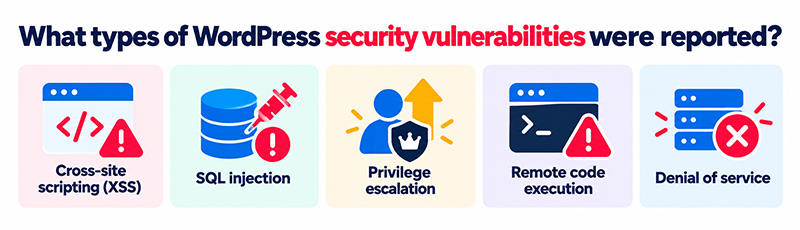
What types of WordPress security vulnerabilities were reported?
Security advisories often use technical terminology that does not immediately explain what a vulnerability means for a business website.
Several types of weaknesses appeared repeatedly during September.
Cross-site scripting (XSS)
Cross-site scripting involves malicious scripts being introduced into website content or responses and potentially executed in a user’s browser.
Depending on the circumstances, this may allow attackers to manipulate page content, redirect visitors or perform actions within an affected browser session.
SQL injection
SQL injection occurs when an application does not handle database queries securely.
Under particular conditions, an attacker may be able to manipulate these queries, potentially affecting the confidentiality or integrity of website data.
Privilege escalation
Privilege escalation vulnerabilities allow users or attackers to obtain permissions they should not have.
For example, a vulnerability might allow someone with limited access to perform actions normally restricted to website administrators.
Remote code execution
Remote code execution vulnerabilities can potentially allow attackers to run unauthorised code within the affected website or hosting environment.
These issues can be particularly serious because they may provide access to website files, data or other server resources.
Denial of service
Denial-of-service vulnerabilities can be exploited to interfere with the availability or performance of a website.
For businesses that depend on their website for customer enquiries, orders or bookings, disruption can have a direct commercial impact.
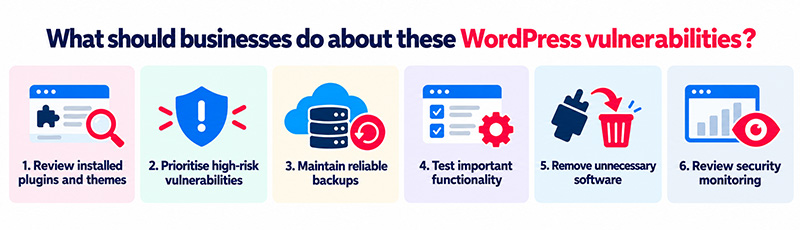
What should businesses do about these WordPress vulnerabilities?
The most important action is to establish whether your website uses any of the affected software and ensure that security updates have been applied.
However, updating everything without appropriate checks can also introduce functionality or compatibility problems.
A managed approach to WordPress security should include the following steps:
- Review installed plugins and themes. Identify affected software and compare installed versions with the relevant security advisories.
- Prioritise high-risk vulnerabilities. Pay particular attention to weaknesses that do not require authentication, involve sensitive data or could allow unauthorised code execution.
- Maintain reliable backups. Ensure that a recent recovery point is available before significant updates are applied.
- Test important functionality. Check ecommerce transactions, contact forms, integrations and other essential website functions following updates.
- Remove unnecessary software. Plugins and themes that are no longer required should be removed rather than left installed.
- Review security monitoring. Check for suspicious activity, unauthorised changes or evidence that a vulnerability may already have been exploited.
If a vulnerable plugin has already been targeted, simply installing the latest update may not remove malware or unauthorised changes. The website may require further investigation.
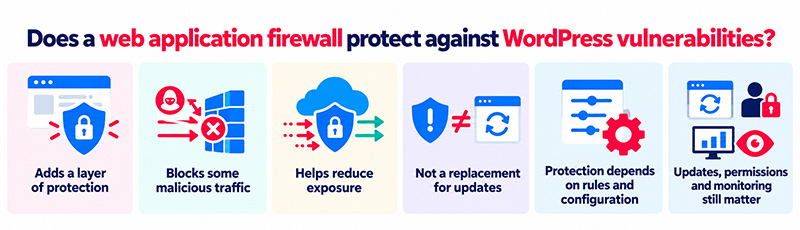
Does a web application firewall protect against WordPress vulnerabilities?
A web application firewall (WAF) provides an additional layer of protection by analysing website requests and blocking traffic associated with certain attacks.
Tools such as Cloudflare and Sucuri can help reduce exposure to malicious requests, including attempts to exploit some known vulnerabilities.
However, a WAF is not a replacement for security updates.
Its effectiveness depends on the vulnerability, the available protection rules and the website’s configuration. Not every attack can be prevented through traffic filtering alone.
Keeping WordPress software updated, restricting user permissions and monitoring for suspicious activity remain essential parts of website security.
Why regular WordPress maintenance matters
The September 2026 vulnerability roundup shows that security issues are not limited to unfamiliar or poorly maintained plugins.
Widely used software, including ecommerce platforms, security plugins and SEO tools, can all contain vulnerabilities that require patching.
For business owners, this does not mean avoiding useful WordPress functionality. It means making sure responsibility for updates, security monitoring and website recovery is clearly established.
Frequently asked questions
Popular plugins can still contain vulnerabilities, as demonstrated by the September 2026 security advisories. The important considerations are whether the software is actively maintained, security issues are addressed promptly and updates are applied when available.
Check the installed plugin version against official developer updates and trusted vulnerability advisories. Security monitoring services can also flag known vulnerabilities affecting installed software.
Security updates should be prioritised, particularly where vulnerabilities could be exploited without authentication. However, significant updates should be accompanied by appropriate backups and testing to reduce the risk of unexpected compatibility issues.
Yes. Security plugins are software and can contain programming errors or weaknesses. The vulnerabilities reported in Really Simple Security and All-In-One Security during September illustrate why security tools also need regular updates.
Not necessarily. An update may close the vulnerability, but it will not automatically remove malicious files, unauthorised accounts or other changes introduced during an earlier compromise. A separate security investigation may be required.
How matm can help with WordPress security
At matm, we build and maintain WordPress websites, combining regular maintenance with practical security measures to reduce the risk of compromise.
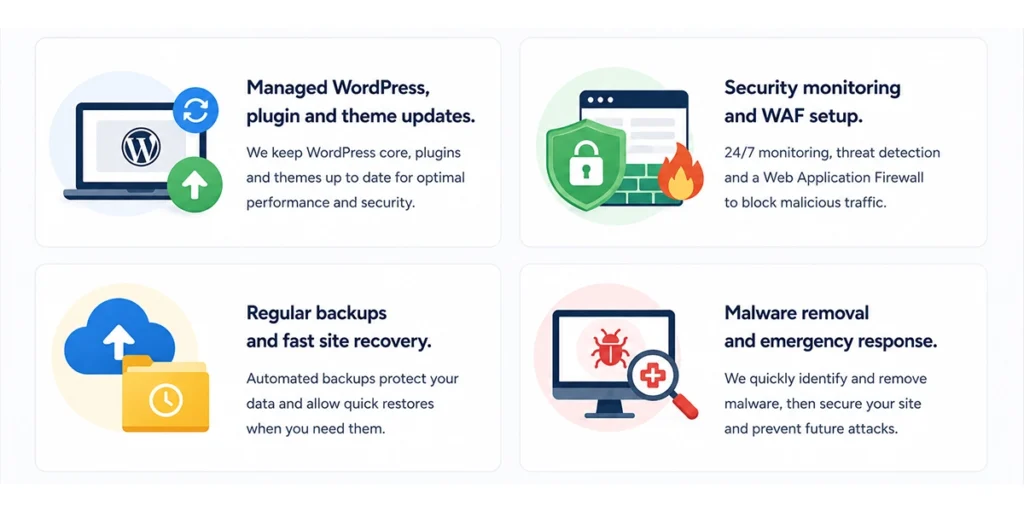
Our WordPress maintenance services include:
- Managed WordPress updates: Updating WordPress core, plugins and themes, with checks to help avoid compatibility issues.
- Security monitoring: Using tools such as Sucuri to identify suspicious activity and potential malware infections.
- Web application firewall protection: Using Cloudflare and appropriate security settings to help block malicious requests.
- Additional website security measures: Reviewing access controls, security headers and other website configurations.
- Backups and recovery: Maintaining website backups and supporting recovery when problems occur.
- Malware investigation and removal: Identifying suspicious website activity and helping address compromised WordPress installations.
If you are unsure whether your WordPress website is running vulnerable plugins or would like support with ongoing maintenance, contact matm at [email protected] or call 01952 883 526.
Regular maintenance reduces the period during which known vulnerabilities remain unpatched and helps identify problems before they affect customers or website operations.
Based on vulnerability research and reporting by Sucuri: Vulnerability & Patch Roundup, September 2026. The versions listed reflect the fixes identified in that roundup. Website administrators should consult current developer advisories when applying updates.